EXPERIMENT FRAMEWORK

Complete experiments.
Built to evolve.

Bring pulse sequences, analysis, visualization, and machine or device parameter updates together in one reusable experiment class.

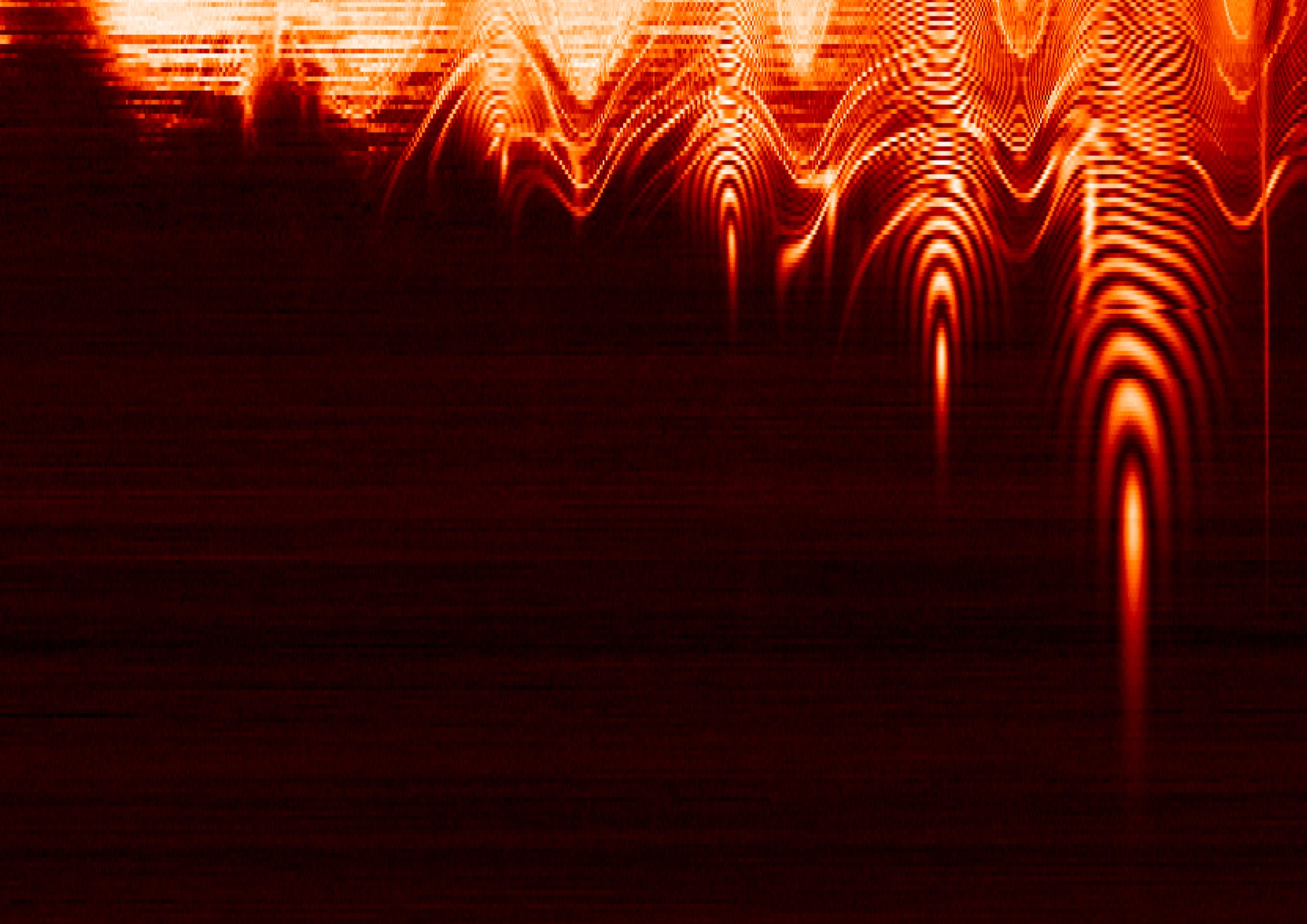
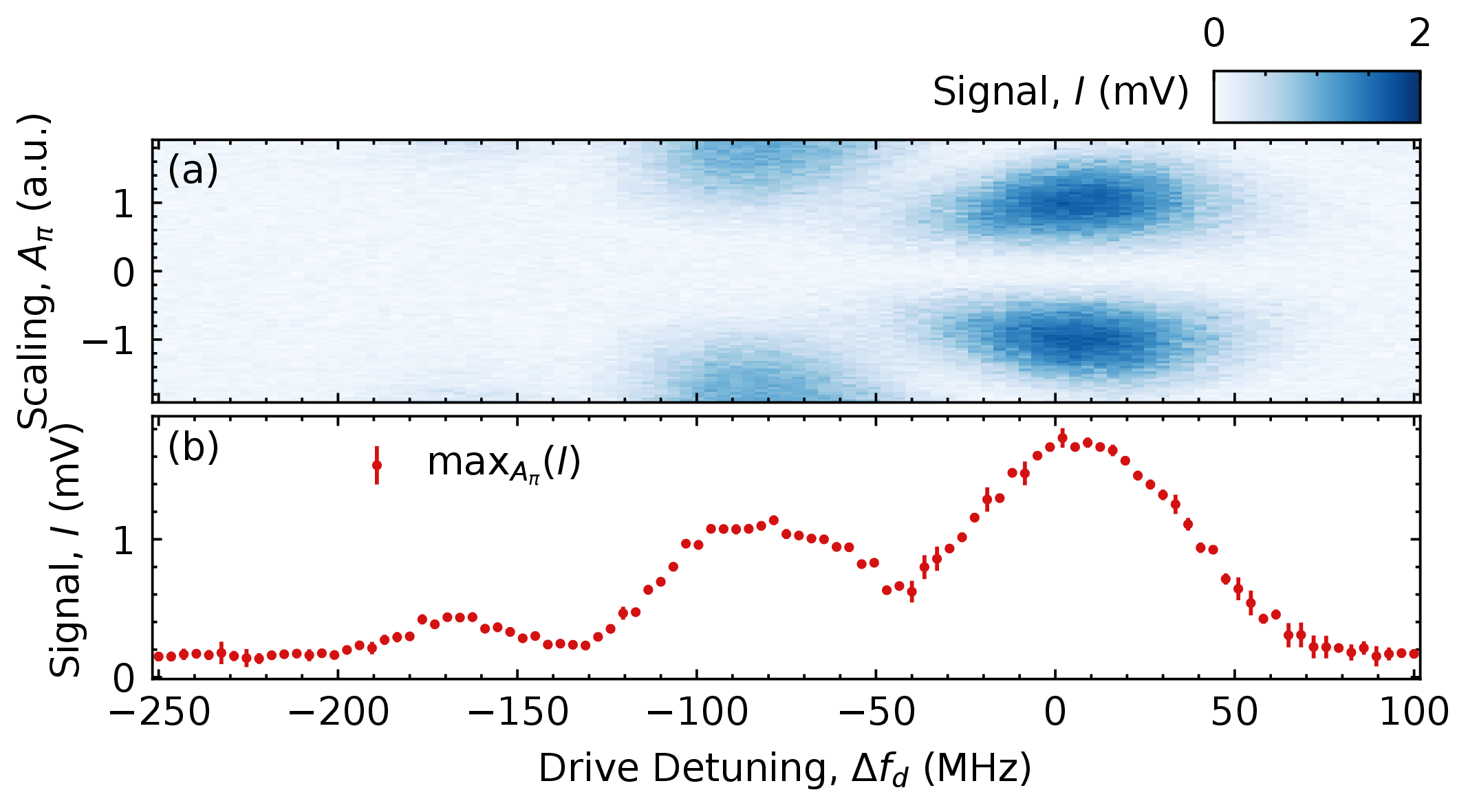
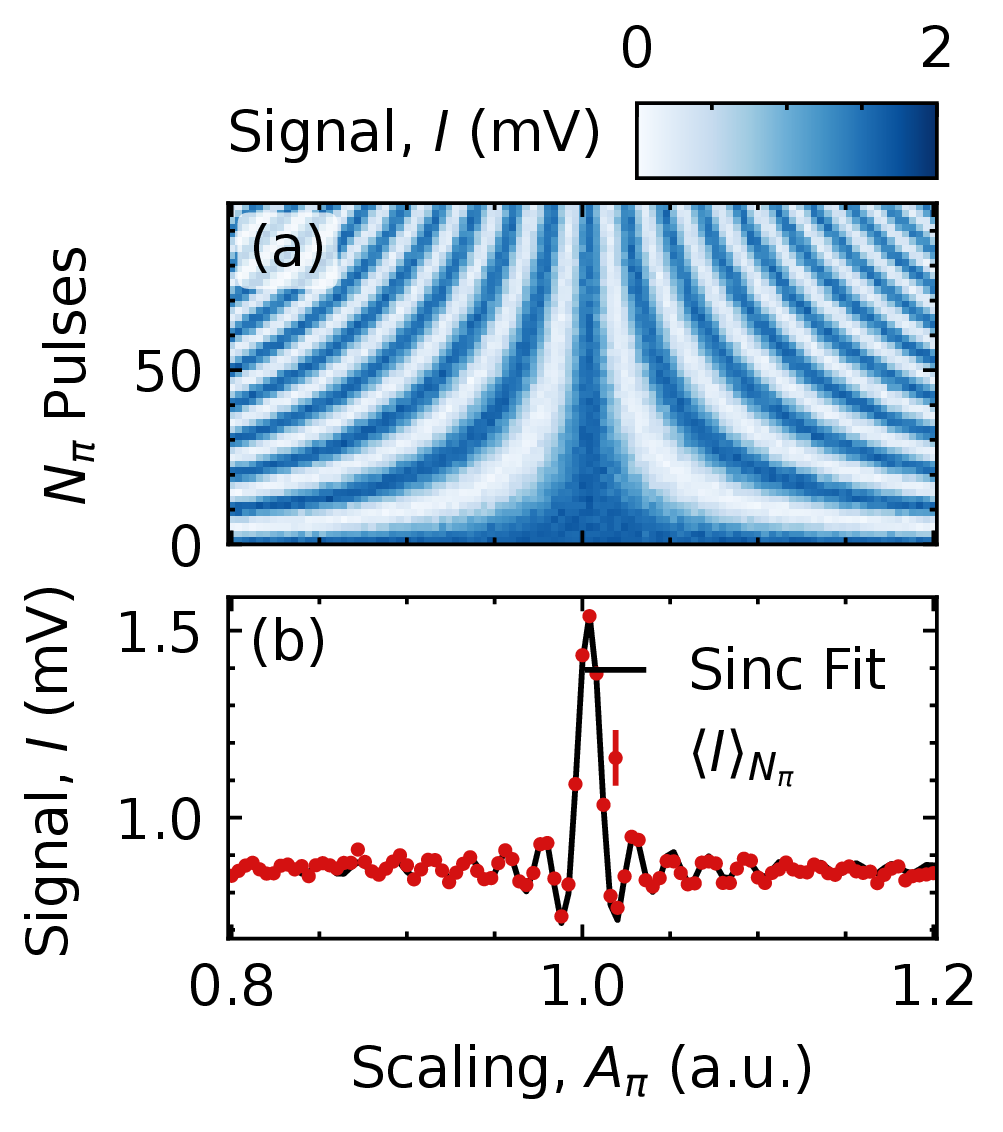
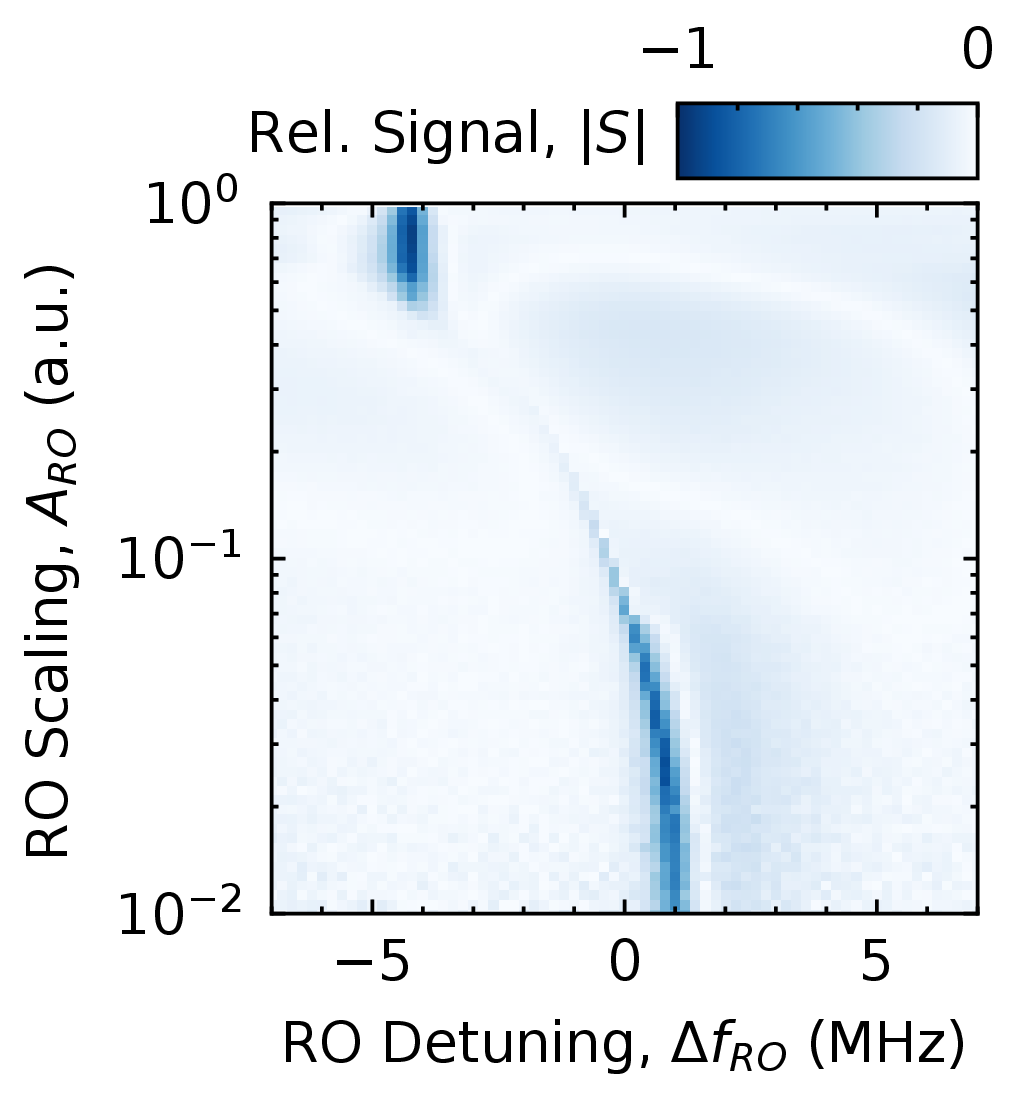
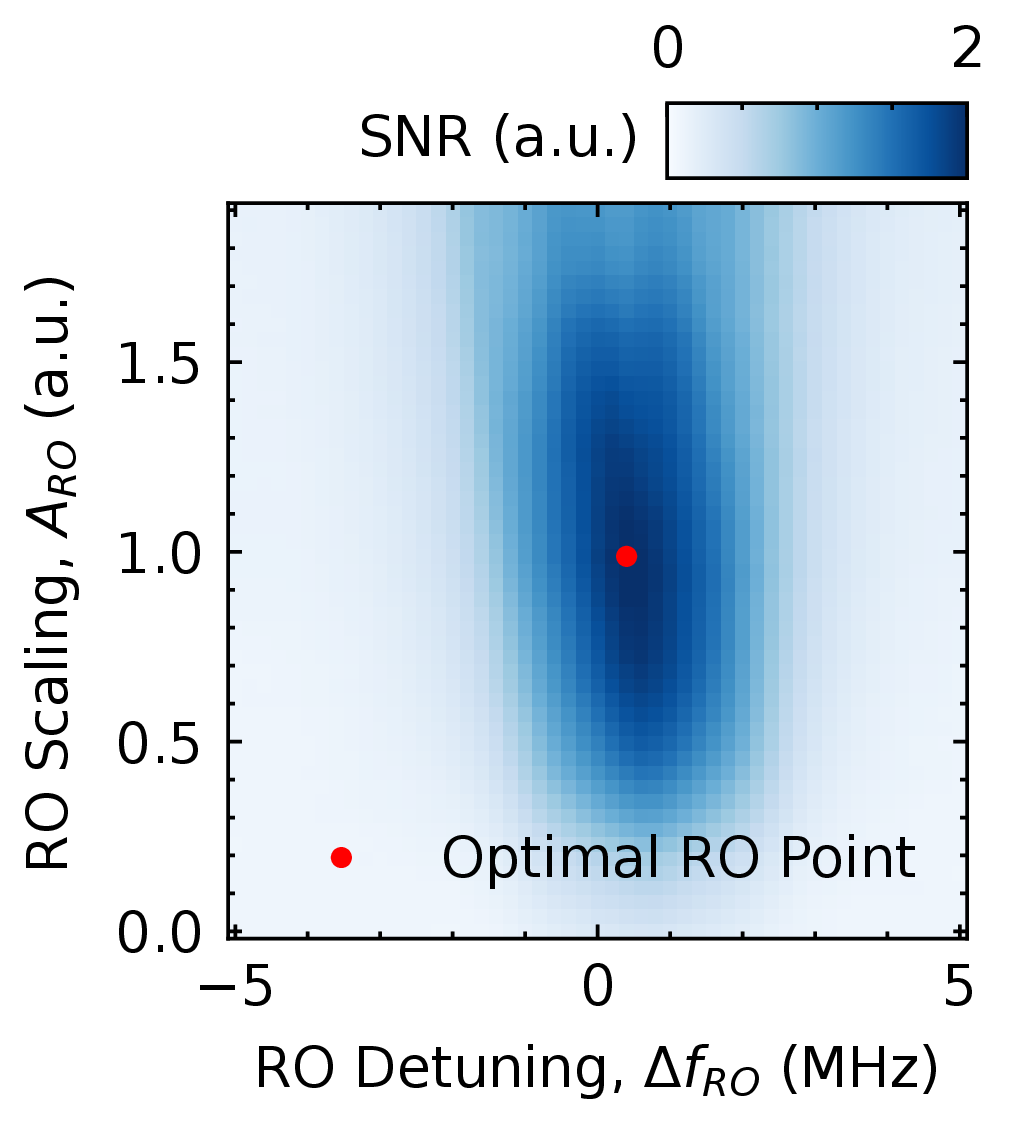
Power and frequency scan heatmap

01 / INSIDE AN EXPERIMENT

One experiment. From pulse to parameter.

Follow an amplitude-sweep Rabi experiment through its four parts. Each part has a clear role and can evolve with your research.

These are methods of the RabiAmplitude experiment class. View the complete class for imports, setup, and the shared experiment context.

View the complete RabiAmplitude class
RabiAmplitude.complete class
PYTHON
from __future__ import annotations

import typing as t
import holoviews as hv
import hvplot.xarray
import numpy as np
import numpy.typing as npt
from qm import qua

from data_analyzer.data_formatting.parameter_converter import unit
from data_analyzer.data_formatting.xarray_formating import without_timestamps
from data_analyzer.models.basic import Oscillation
from opx_control.experiment_frames.experiment_base import (
    ExperimentBase,
    OneOrIterable,
    log_status,
    mirror_doc,
    to_1d,
)
from opx_control.qua_macros.as_qua_program import as_qua_program
from opx_control.quam.components.qubits import FluxLine, ScQubit

if t.TYPE_CHECKING:
    from opx_control.fetching.streams import StreamManager
    from qm.program import Program
    import xarray as xr

__all__ = ["RabiAmplitude"]
u = unit(coerce_to_integer=True)


@log_status(status="in progress", auther="Malthe Marciniak", version="1.0.0")
class RabiAmplitude(ExperimentBase):
    models: dict[str, Oscillation]
    qubits: list[ScQubit]

    def program(qubits, amplitudes = np.linspace(0.05 * u.V, 0.4 * u.V, 101)) -> Program:
        sts, axt = StreamManager(), AxisTracker()
      
        n, a = qua.declare(int), qua.declare(qua.fixed)

        with axt.for_(n, 0, n < number_of_averages, n + 1, name="averages"):
            with axt.for_each_(a, amplitudes, name="amplitude", long_name="Amplitude Scale"):
                for qubit in self.qubits:

                    # Reset the qubit.
                    qubit.reset()

                    # Play the pi pulse at the current amplitude scale.
                    qubit.xy.play("x180", amplitude_scale=a)
                    qubit.align()

                    # Measure and save both readout quadratures.
                    I, Q = qubit.measure("readout")
                    sts[qubit.name].save(I, Q)

    def set_temporary_changes_for_experiment(
        self, qubits: OneOrIterable[ScQubit], *args, **kwargs
    ):
        self.qubits = to_1d(qubits)
        for qubit in self.qubits:
            qubit.xy.operations["x180"].set_at_reference(
                "amplitude", 0.5, allow_non_reference=True
            )

    def analyze(qubits, data: xr.Dataset) -> dict[str, xr.Dataset]:
        return {
            qubit.name: Oscillation().fit(data=data[qubit.name]) 
            for qubit in qubits
            }

    def plot(qubits, data: xr.Dataset, models, *args, **kwargs) -> hv.Layout:
        plots = []
        for qubit in qubits:

            # Plot raw data
            plot = data[qubit.name].hvplot()

            # Overlay fit
            x = data[qubit.name]["amplitude"]
            y = models[qubit.name].eval(x)
            plot *= hv.Curve((x, y))

            # Add to plot list
            plots.append(plot)

        return hv.Layout(plots).cols(1)

    def update_machine(qubits, models):
        for qubit in qubits:

            # Get the fitted results
            fit_results = models[qubit.name].xarray_results()
            period = fit_results["period"]

            # Update the qubit's XY drive amplitudes.
            for pulse_90 in ("x90", "y90"):
                qubit.xy.operations[pulse_90].amplitude = "amplitude", 0.5 * period / 4

            for pulse_180 in ("x180", "y180"):
                qubit.xy.operations[pulse_180].amplitude = 0.5 * period / 2

    @mirror_doc(program)
    def run(self, *args, **kwargs):
        return super().run(*args, **kwargs)
  1. 01

    Pulse sequence

    Prepare the qubits, register their readout streams, and track the averaging and amplitude axes. Reset, drive, and measure each qubit before processing the streams.

    RabiAmplitude.program
    PYTHON
    def program(qubits, amplitudes = np.linspace(0.05 * u.V, 0.4 * u.V, 101)) -> Program:
        sts, axt = StreamManager(), AxisTracker()
      
        n, a = qua.declare(int), qua.declare(qua.fixed)
    
        with axt.for_(n, 0, n < number_of_averages, n + 1, name="averages"):
            with axt.for_each_(a, amplitudes, name="amplitude", long_name="Amplitude Scale"):
                for qubit in self.qubits:
    
                    # Reset the qubit.
                    qubit.reset()
    
                    # Play the pi pulse at the current amplitude scale.
                    qubit.xy.play("x180", amplitude_scale=a)
                    qubit.align()
    
                    # Measure and save both readout quadratures.
                    I, Q = qubit.measure("readout")
                    sts[qubit.name].save(I, Q)
  2. 02

    Analysis

    Remove timestamps, fit an Oscillation model to each qubit’s measured response, and attach the fit information to the experiment.

    RabiAmplitude.analyze
    PYTHON
    def analyze(qubits, data: xr.Dataset) -> dict[str, xr.Dataset]:
        return {
            qubit.name: Oscillation().fit(data=data[qubit.name]) 
            for qubit in qubits
            }
  3. 03

    Visualization

    Plot each qubit’s measured response with hvPlot, overlay its fitted HoloViews curve, and arrange the results in a single column.

    RabiAmplitude.plot
    PYTHON
    def plot(qubits, data: xr.Dataset, models, *args, **kwargs) -> hv.Layout:
        plots = []
        for qubit in qubits:
    
            # Plot raw data
            plot = data[qubit.name].hvplot()
    
            # Overlay fit
            x = data[qubit.name]["amplitude"]
            y = models[qubit.name].eval(x)
            plot *= hv.Curve((x, y))
    
            # Add to plot list
            plots.append(plot)
    
        return hv.Layout(plots).cols(1)
  4. 04

    Parameter updates

    Convert the fit results to base units, take the fitted period, and update the x90/y90 and x180/y180 drive amplitudes at their references.

    RabiAmplitude.update_machine
    PYTHON
    def update_machine(qubits, models):
        for qubit in qubits:
    
            # Get the fitted results
            fit_results = models[qubit.name].xarray_results()
            period = fit_results["period"]
    
            # Update the qubit's XY drive amplitudes.
            for pulse_90 in ("x90", "y90"):
                qubit.xy.operations[pulse_90].amplitude = "amplitude", 0.5 * period / 4
    
            for pulse_180 in ("x180", "y180"):
                qubit.xy.operations[pulse_180].amplitude = 0.5 * period / 2

REAL DATA / FROM OUR LAB

The experiment, visualized.

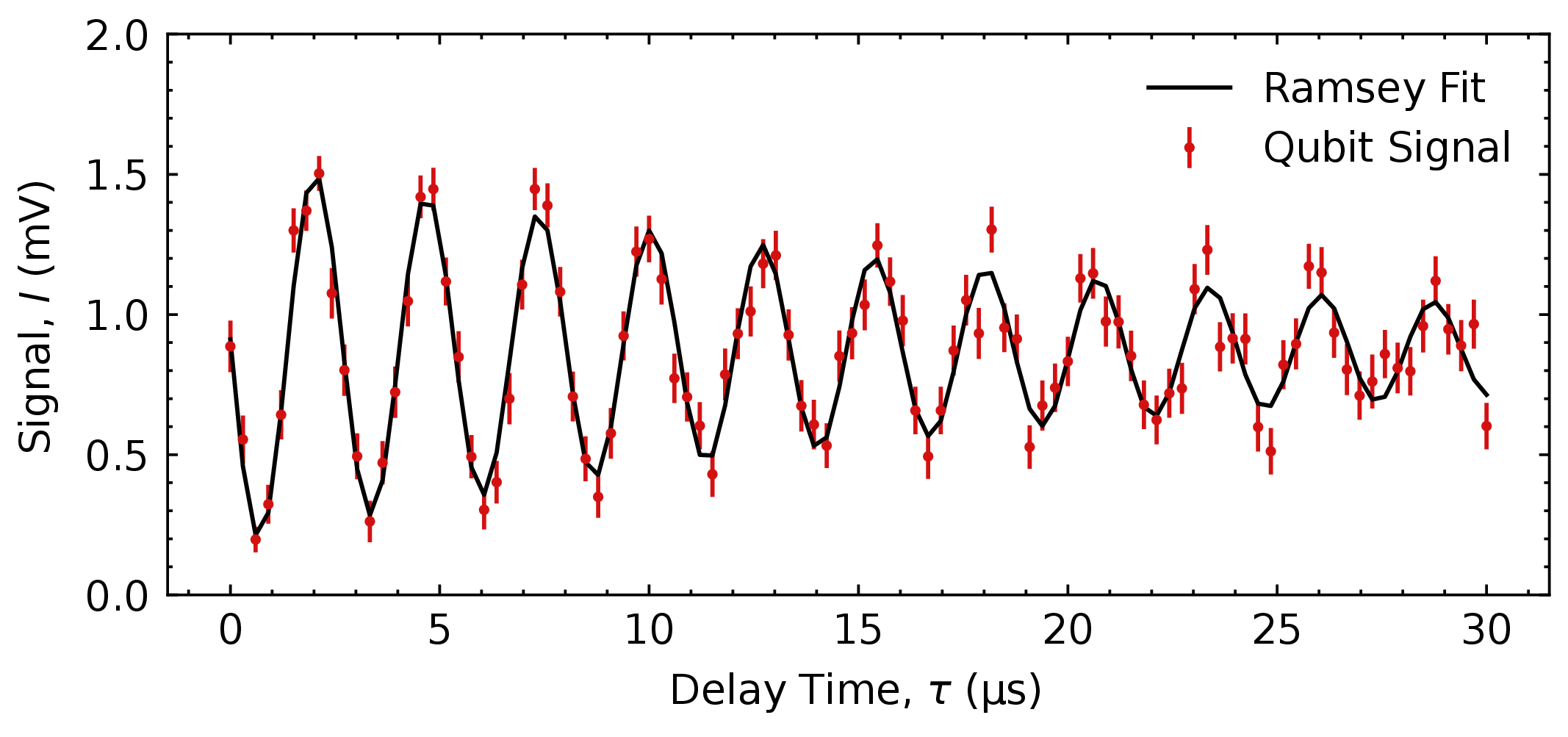
The workflow above comes together in this Rabi amplitude dataset recorded in our lab. Explore the measured response, fitted oscillation, and experiment metadata. Use the plot toolbar to pan, zoom, and reset the view.

INTERACTIVE HOLOVIEWS PLOT

Rabi amplitude sweep: measured response, oscillation fit, and experiment metadata.Open plot in a new tab

02 / EXPERIMENT LIBRARY

A library of starting points.

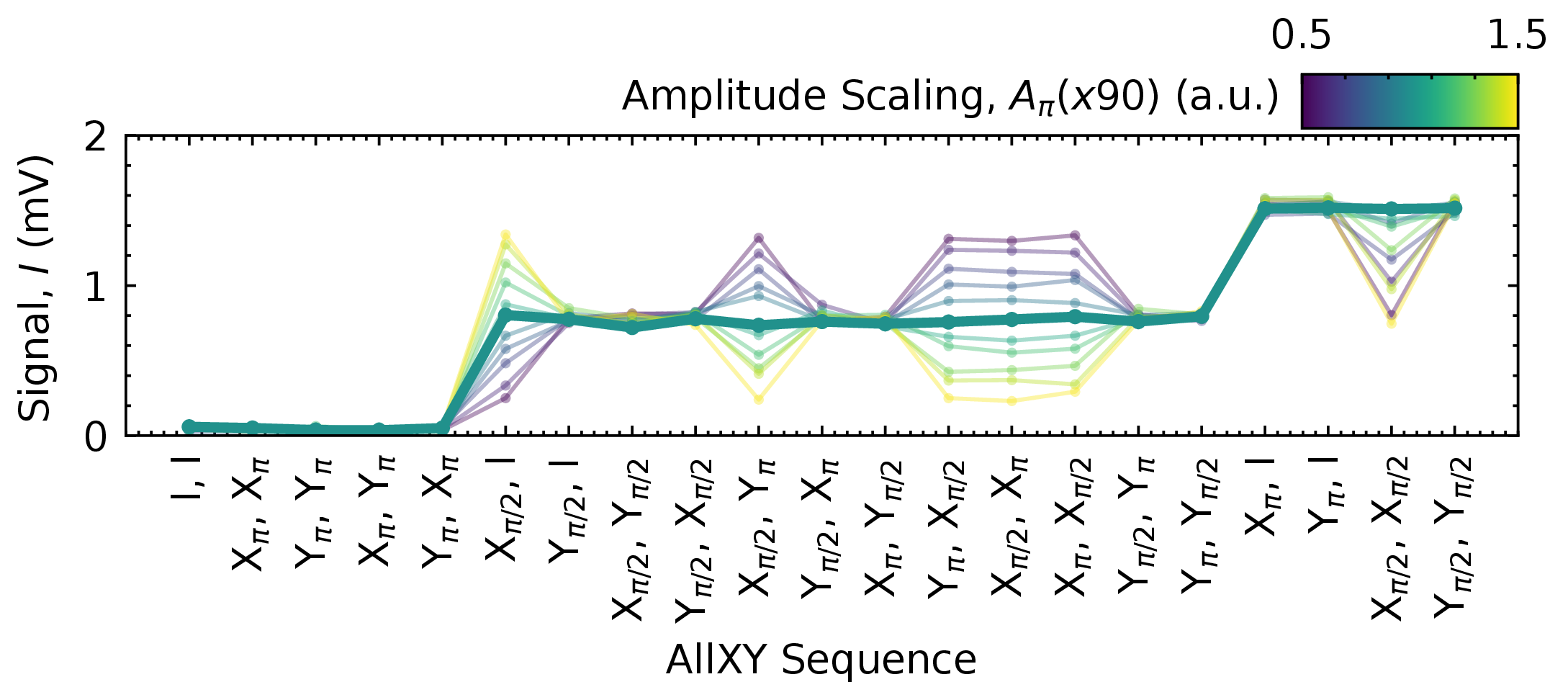
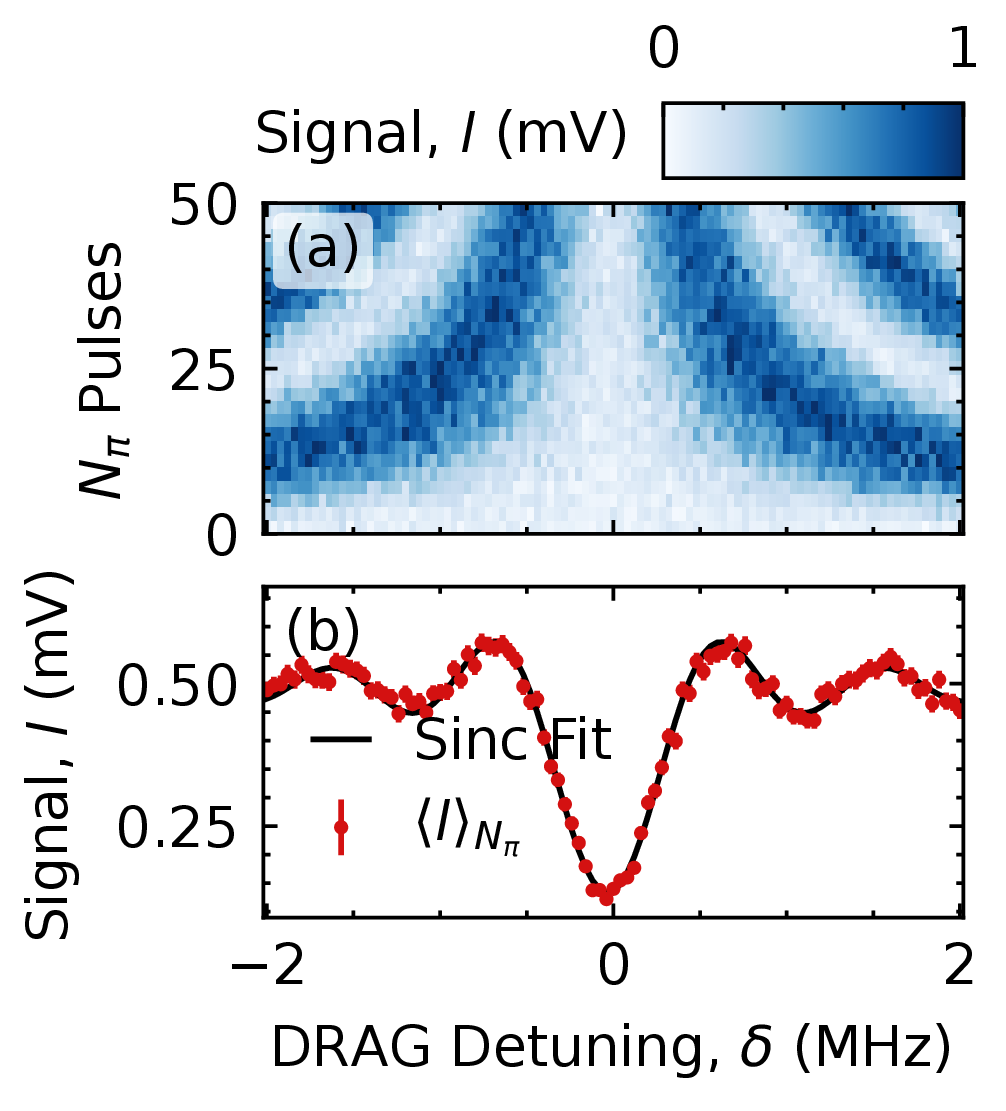
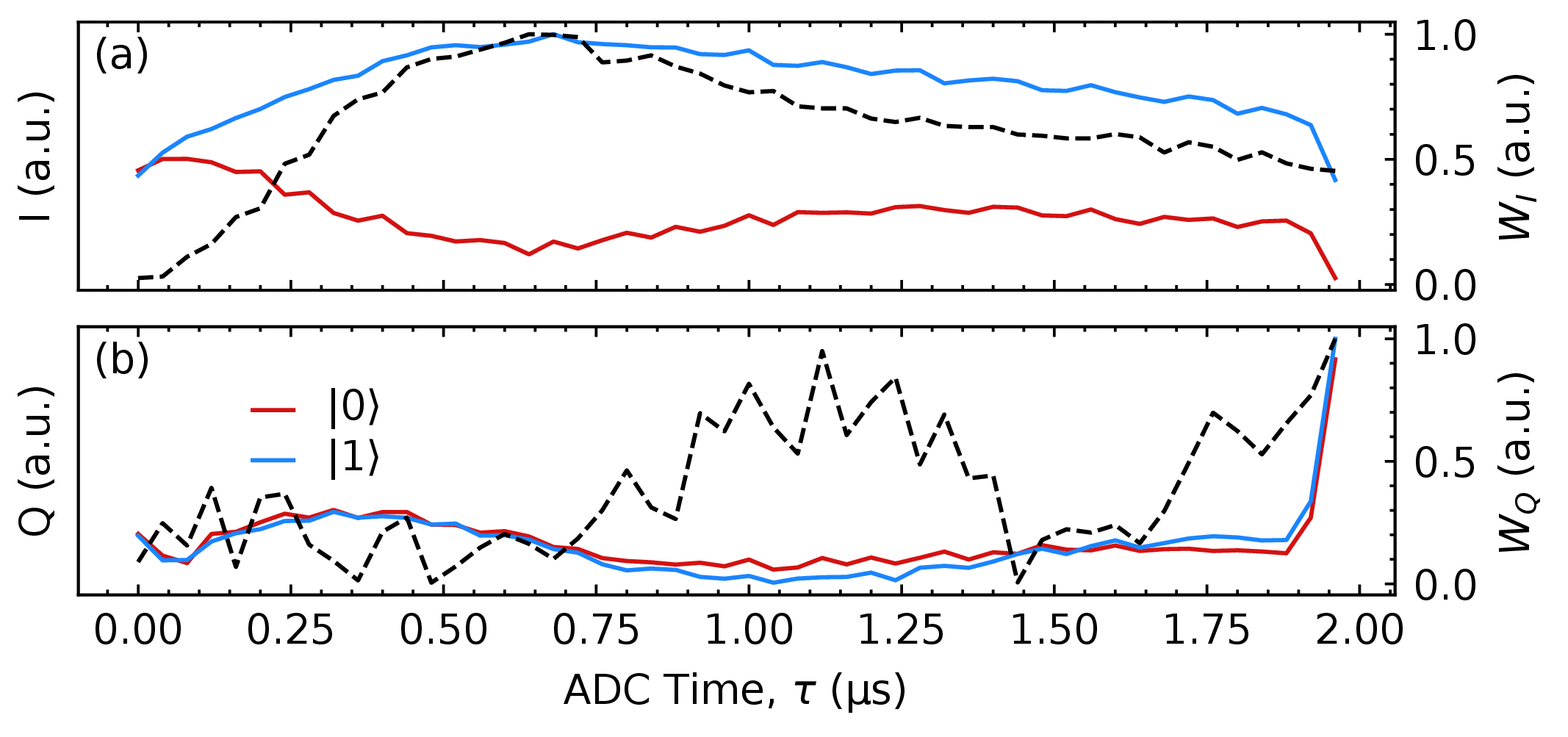
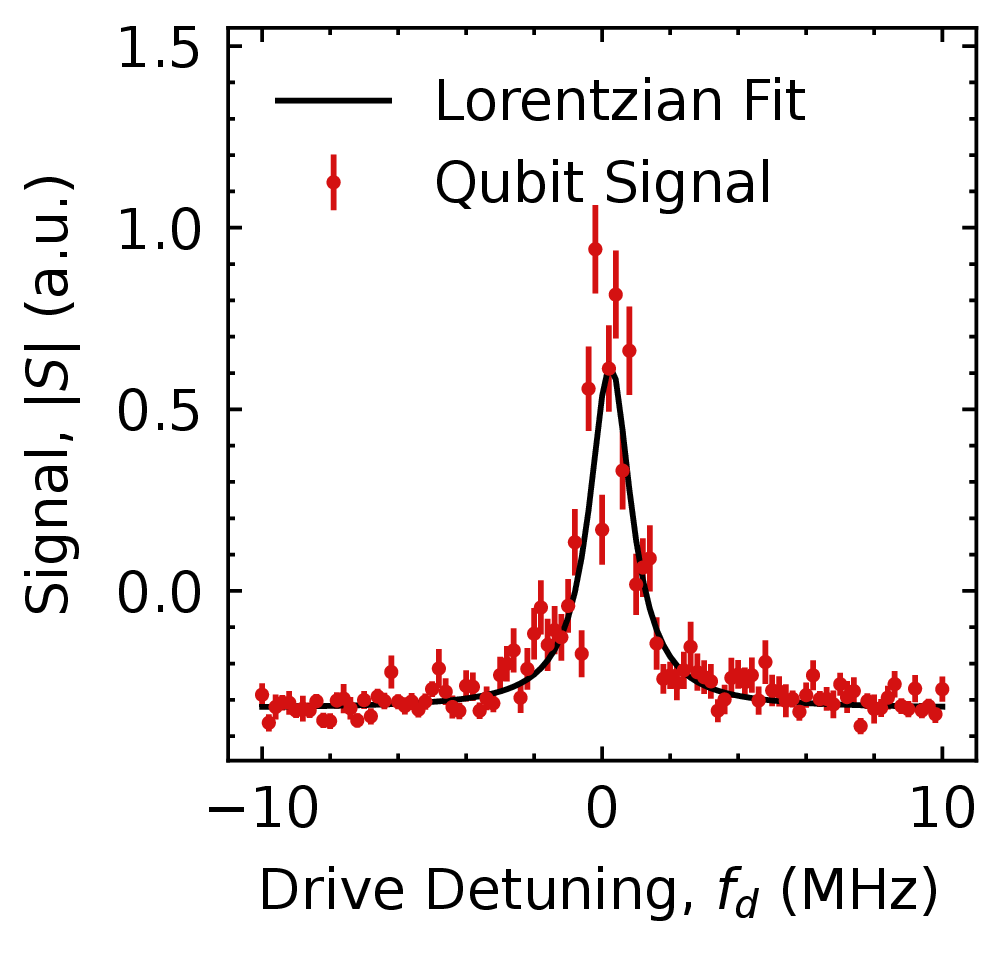
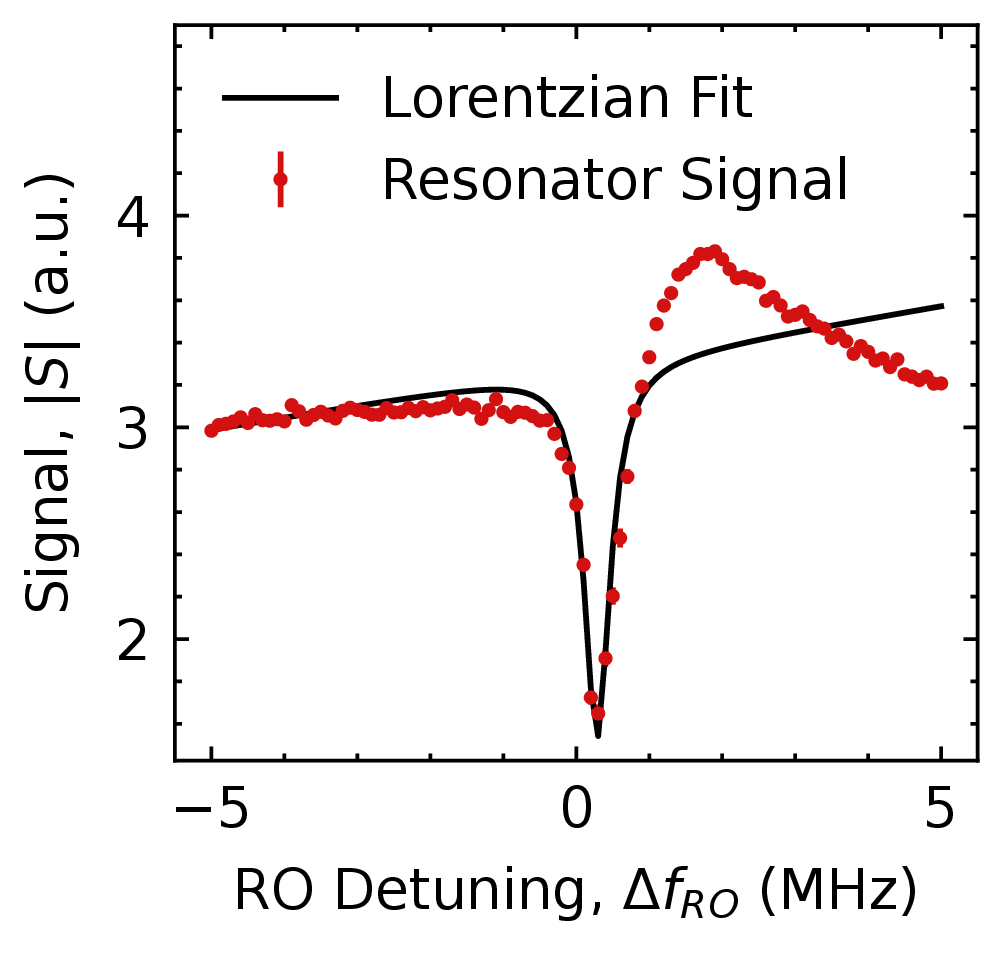
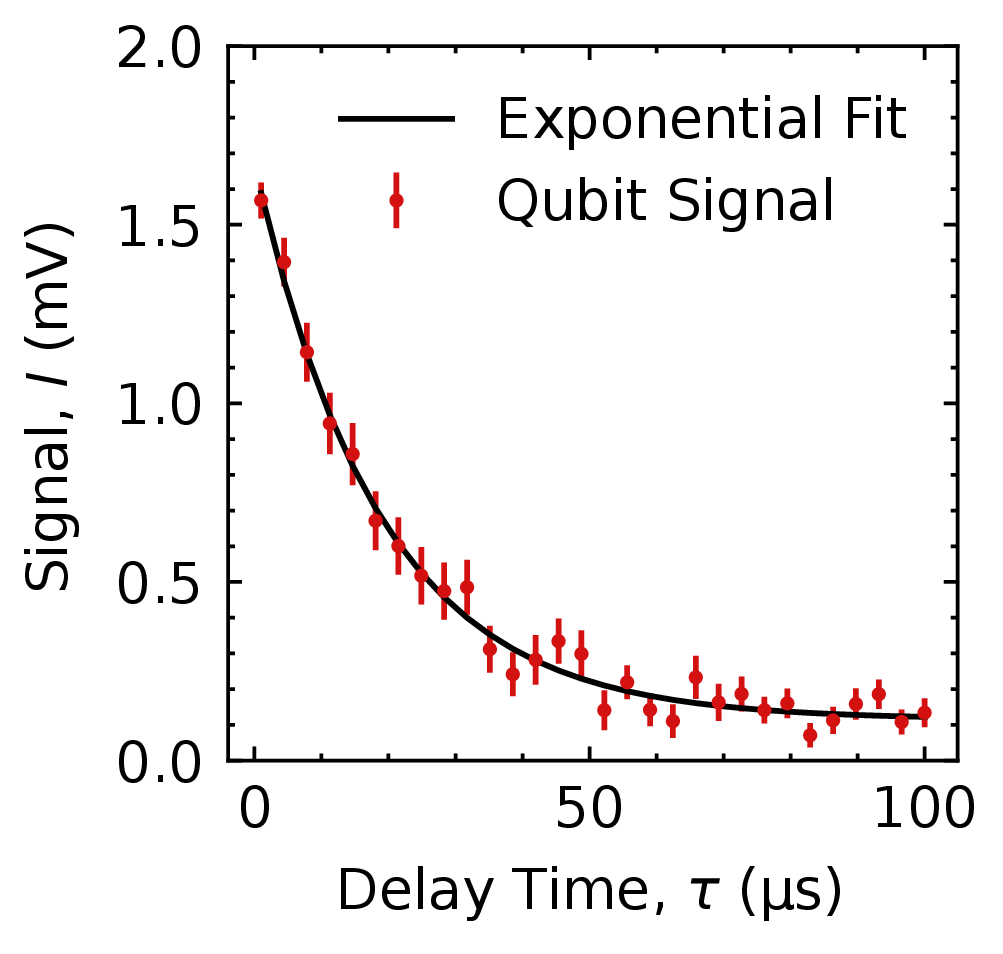
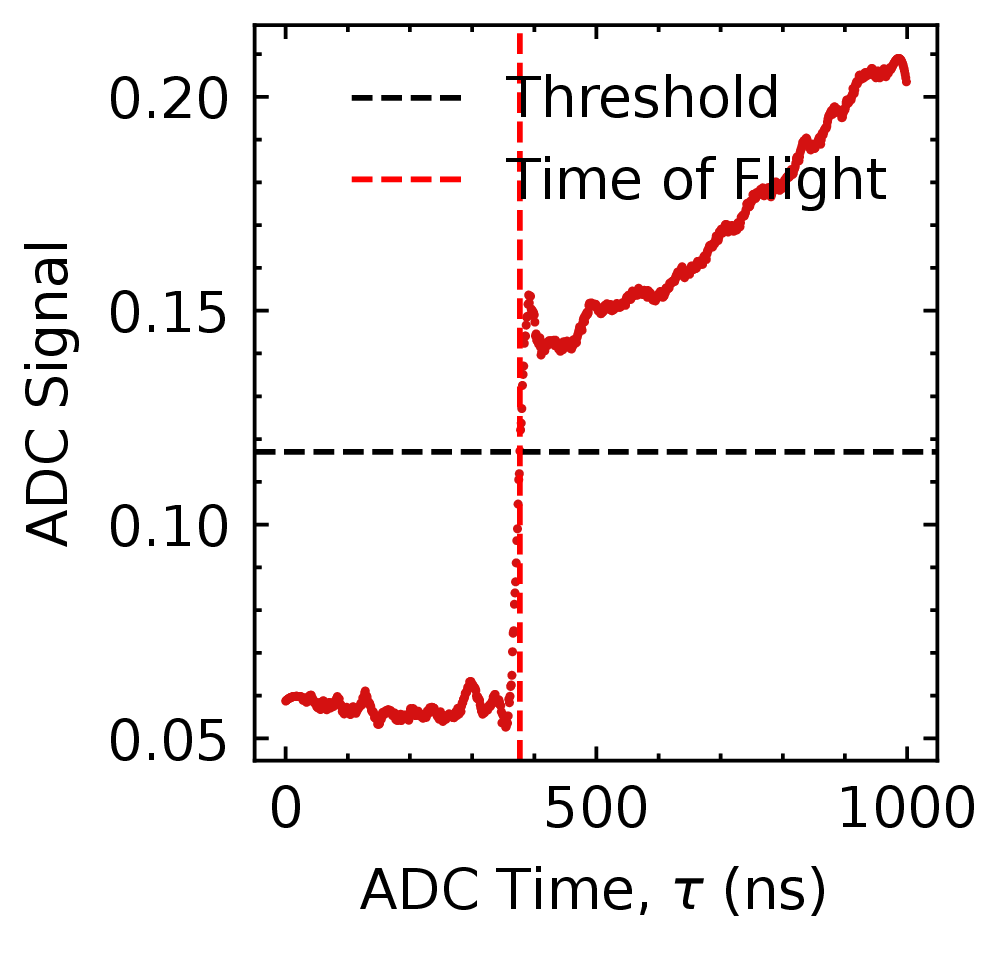
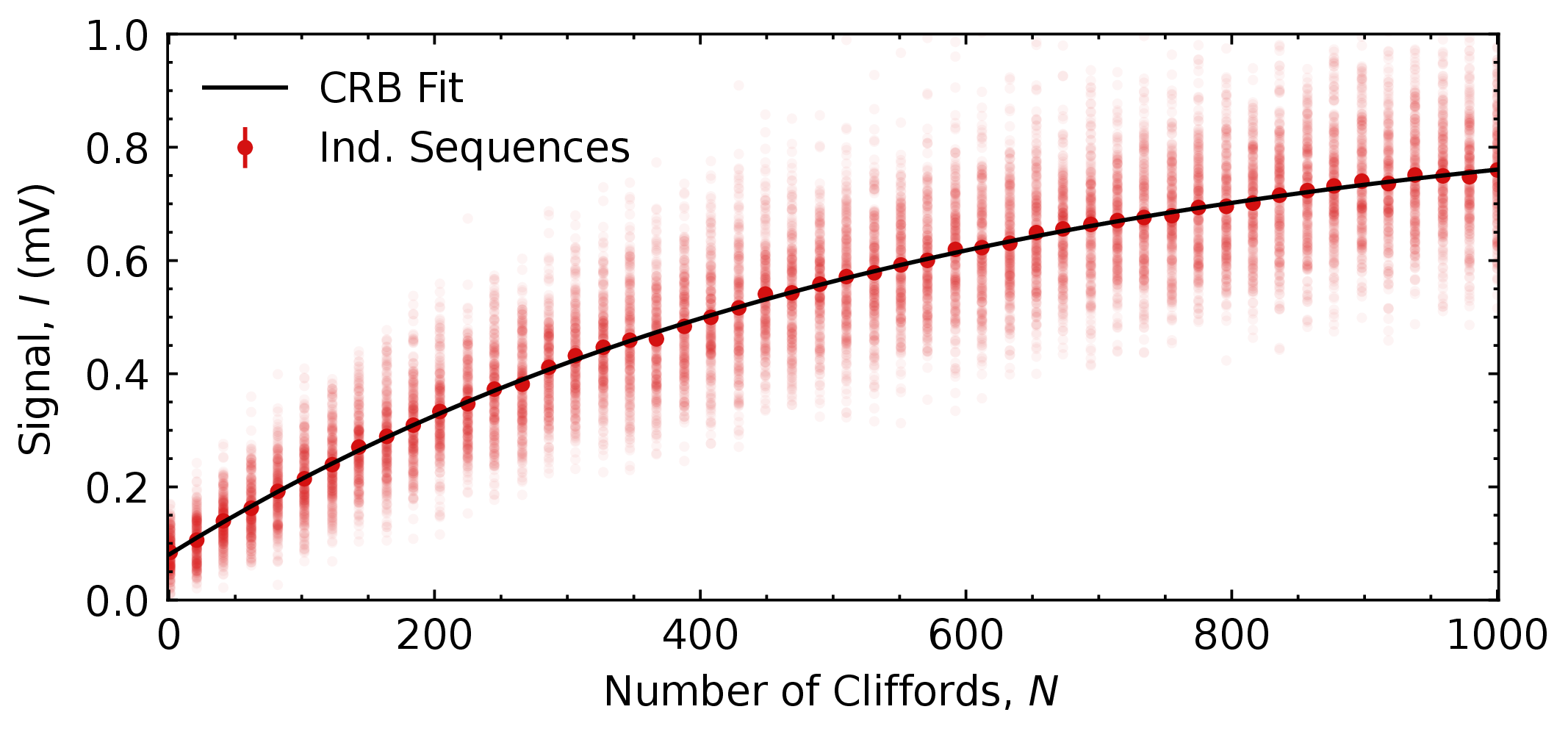
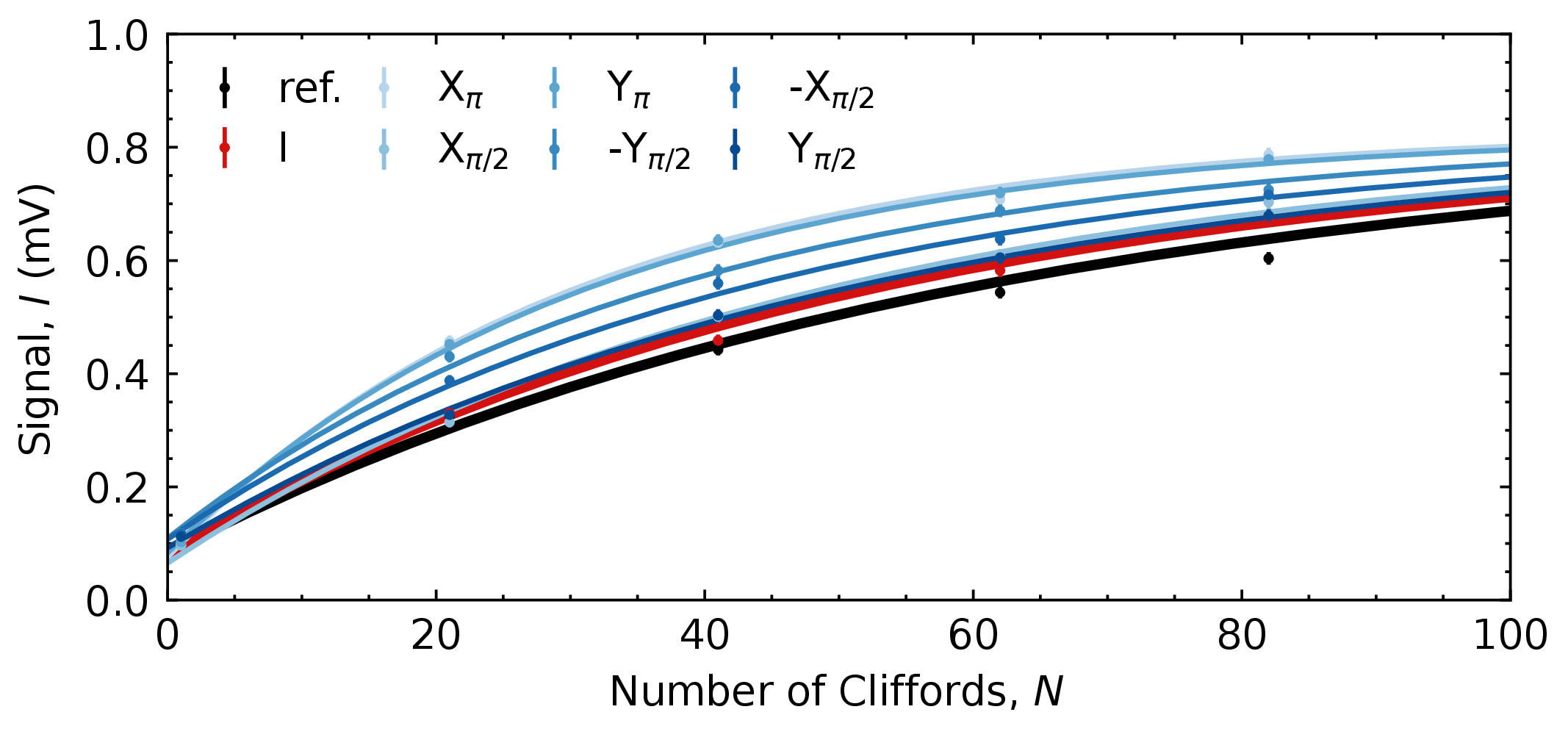
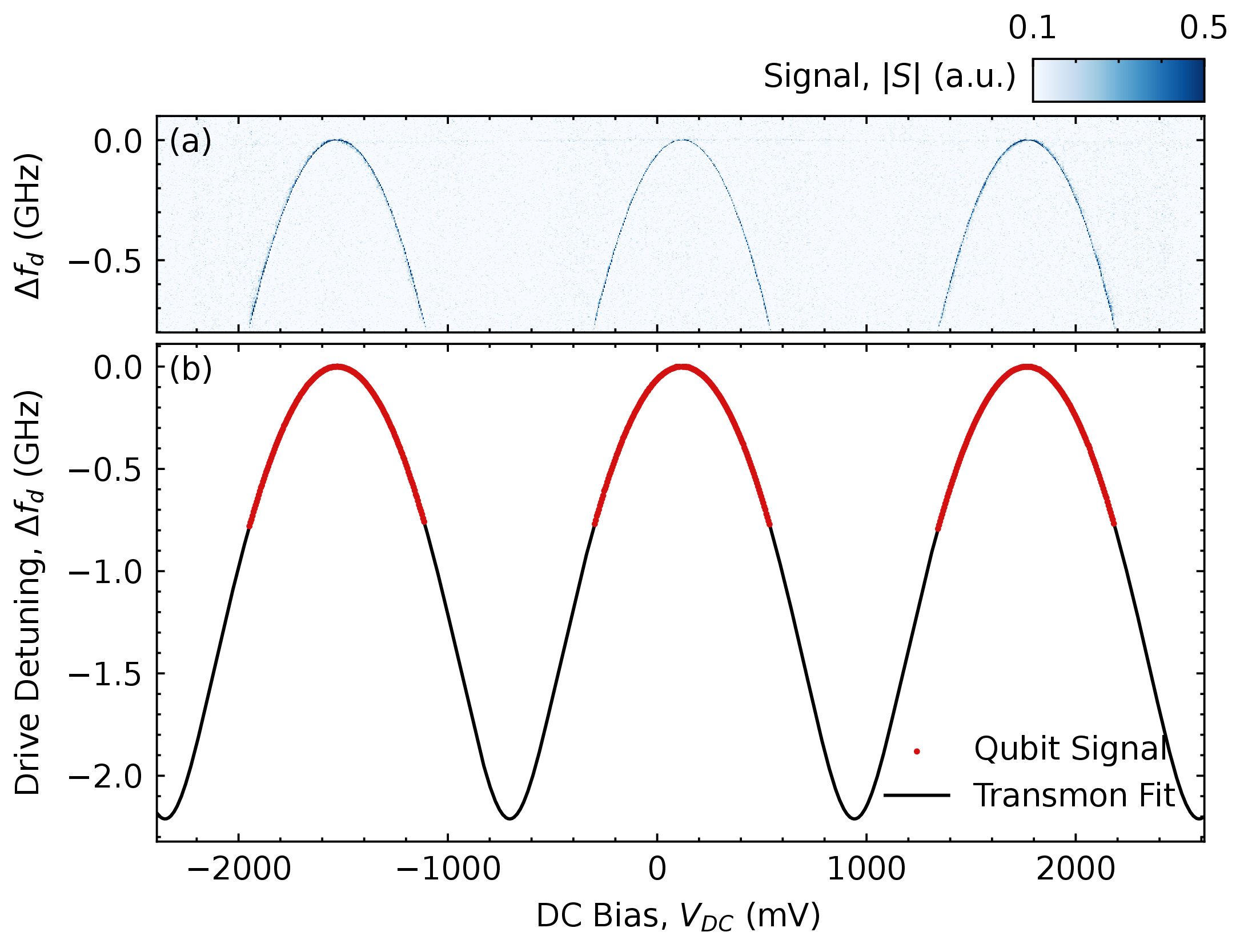
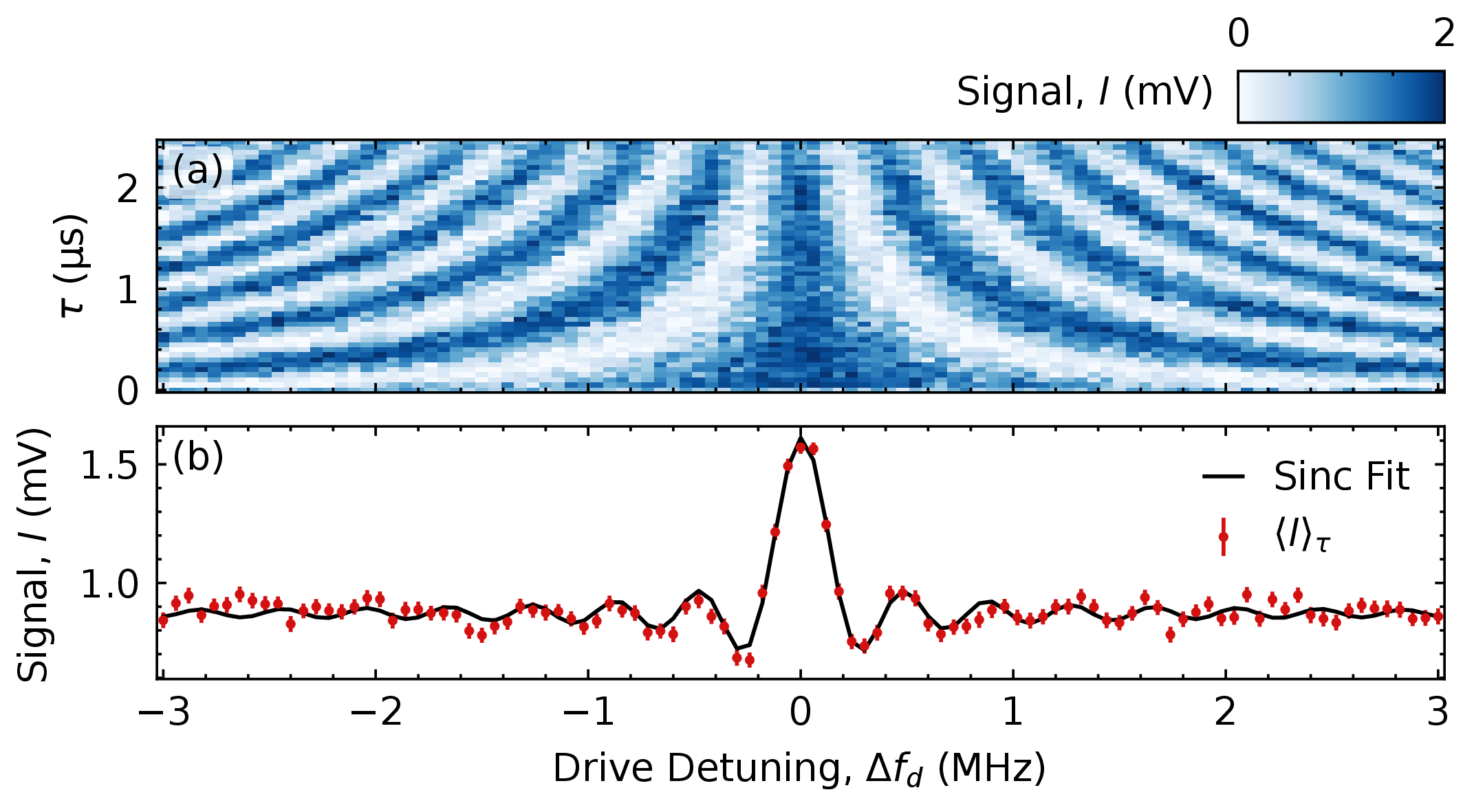
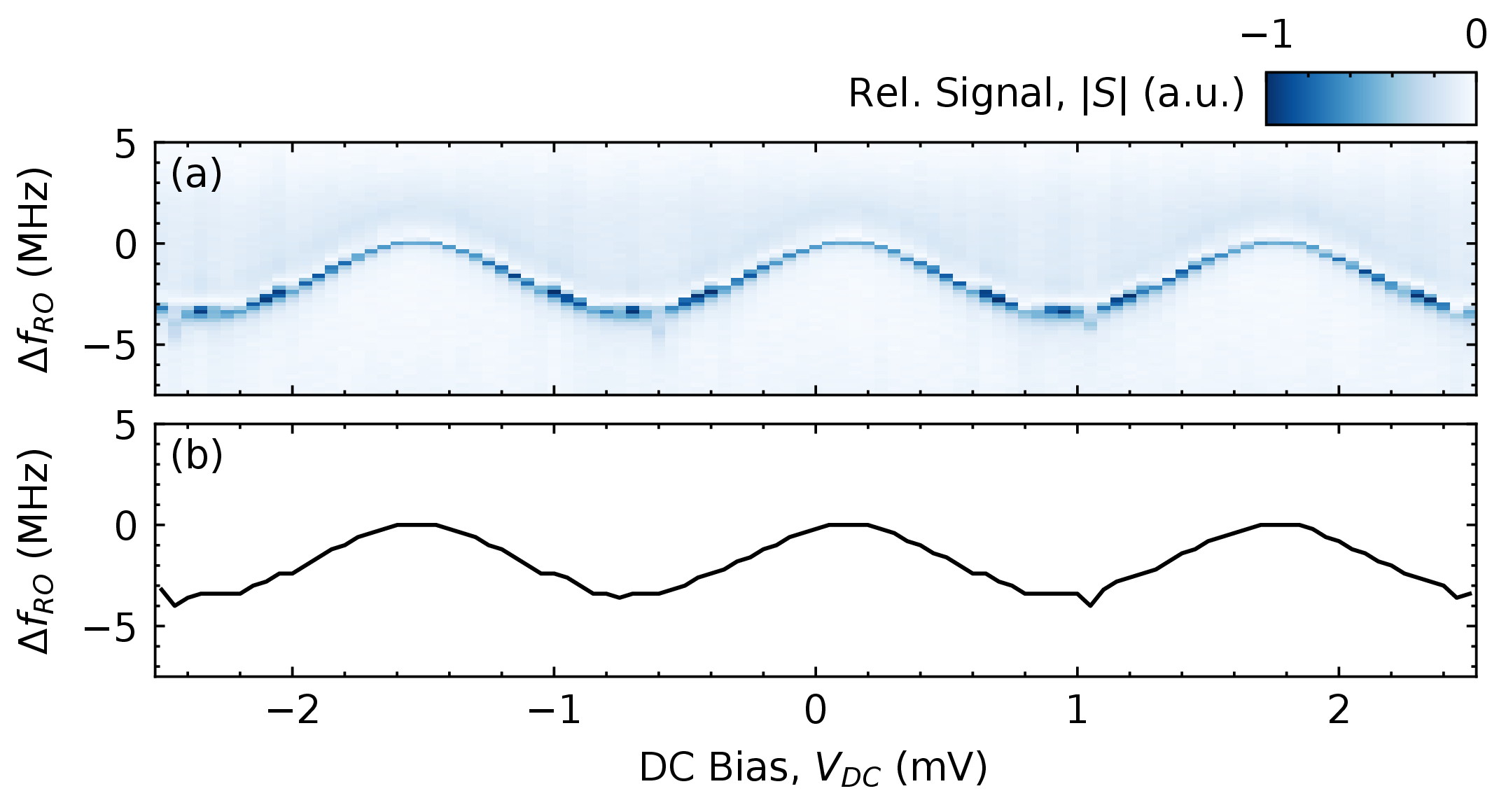
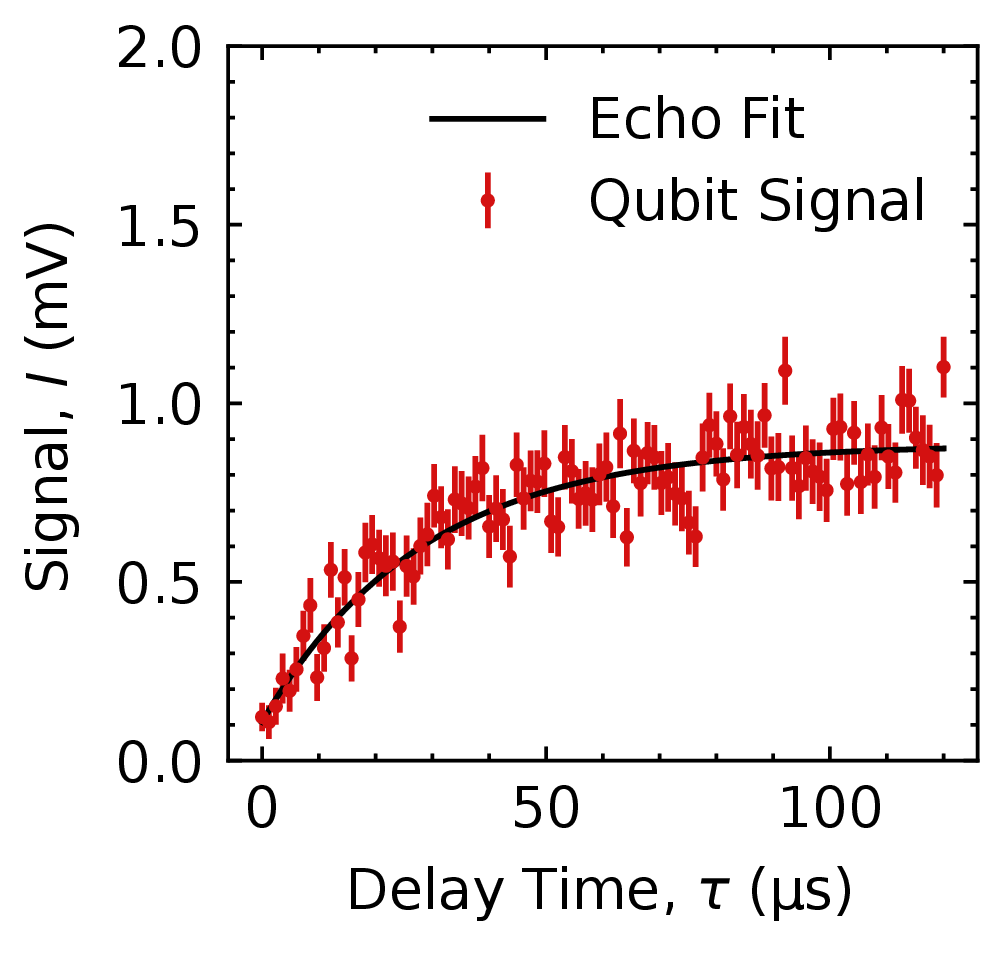
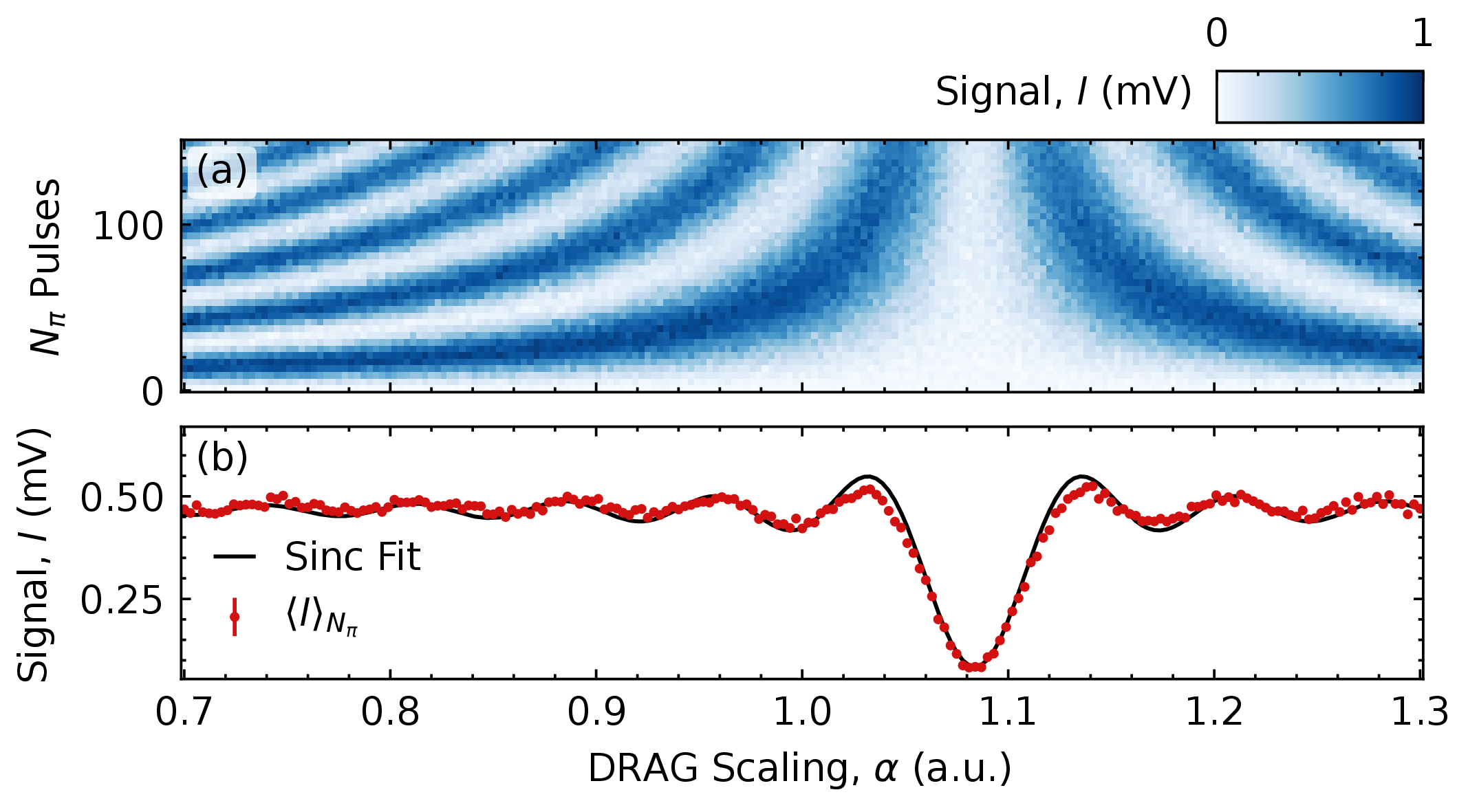
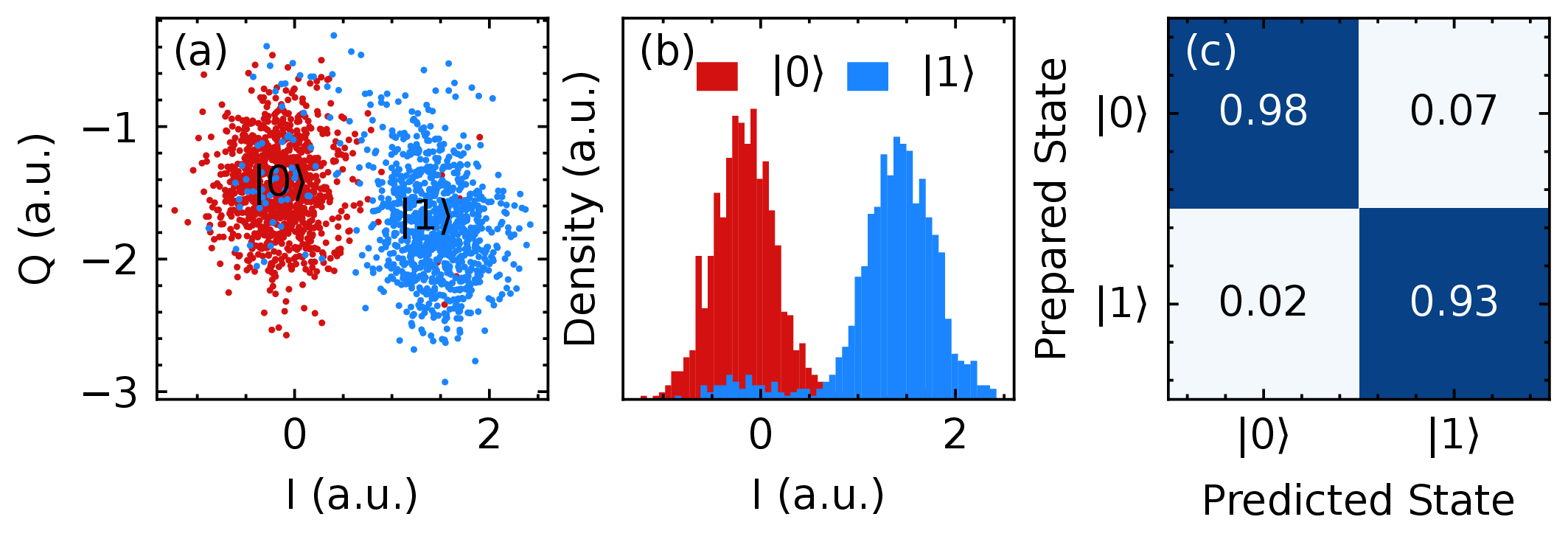
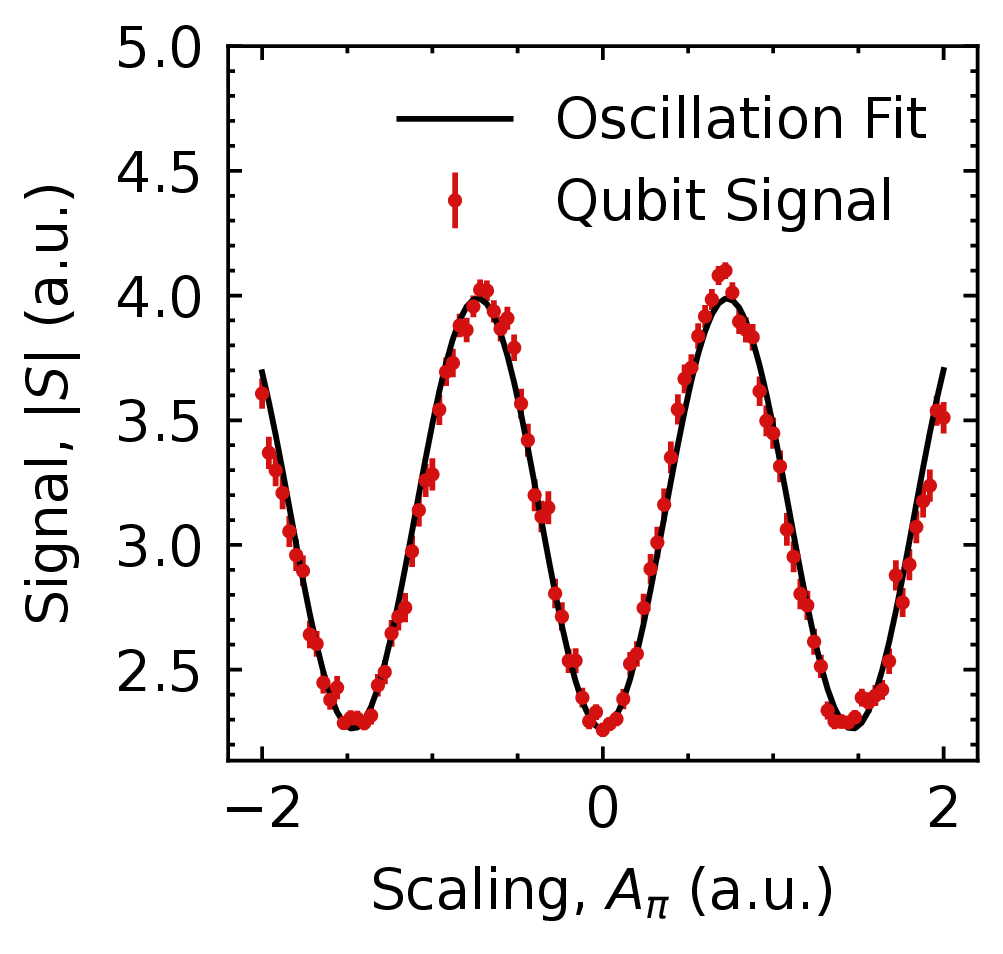
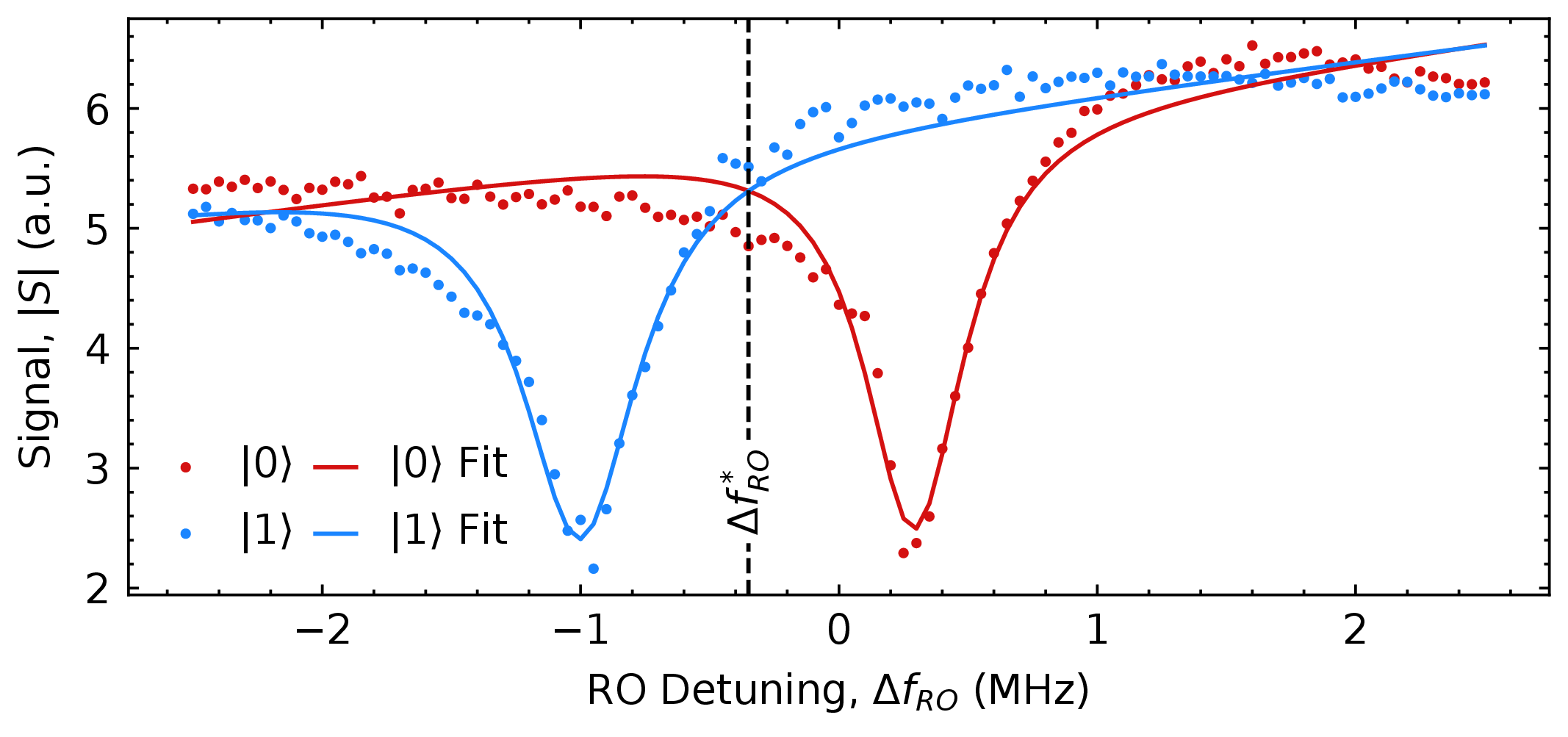
Explore examples across calibration, readout, coherence, and benchmarking. Each plot represents an experiment you can build on.

03 / A FOUNDATION TO EXTEND

Start with a class. Make it your experiment.

Use the experiment library as a starting point. Subclass an experiment to change its pulse sequence, analysis, visualization, or parameter updates while keeping its structure together.

Run, revise, and track experiments as reusable classes that can grow with your work.

Existing experiment

Pulse · analysis · visualization · updates

New analysis

Override the analysis

Your subclass

Three stages retained. One analysis replaced.

EXTEND, DON’T REWRITE

Keep the workflow. Change the physics.

Subclass an existing experiment and override only the behavior you need. The pulse sequence, analysis, plotting, and parameter updates stay organized in one reusable interface.

Illustrative Python pattern — adapt the method signatures to your installed Pelagic version.

CustomRabiAmplitude · subclass example
PYTHON
class CustomRabiAmplitude(RabiAmplitude):
    """Customize analysis while reusing the experiment workflow."""

    def analyze(self, qubits, data):
        # Start with the parent experiment's fitting routine.
        models = super().analyze(qubits, data)

        # Add your own validation or analysis here.
        # For example: inspect fit quality before updating hardware.
        return models

# Illustrative subclass pattern; adapt method signatures to your library.

04 / CALIBRATION GRAPH Coming soon

Experiments, connected by logic.

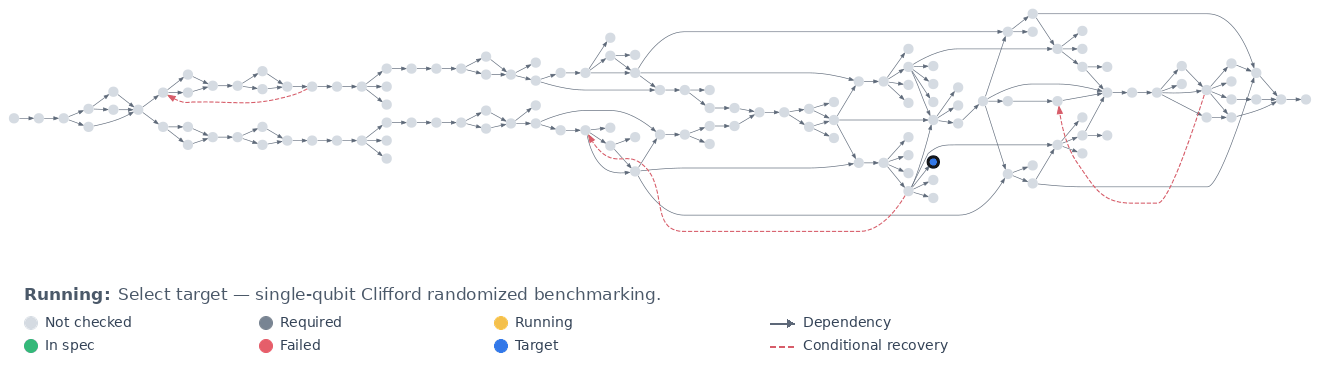
Choose a target experiment. Pelagic checks its dependencies, reuses valid calibrations, and revisits upstream measurements when a check fails. This example follows single-qubit Clifford randomized benchmarking on qubit 1 through a targeted recovery workflow.

Scroll across the graph to keep its status and legend readable.

A 137-node calibration dependency graph targeting single-qubit Clifford randomized benchmarking on qubit 1, with a running-experiment status, state legend, and dashed red recovery paths.
A dependency-aware calibration workflow, illustrated on a 137-node device graph. Colors show the simulated calibration state; red dashed arrows show conditional diagnostic recovery paths.
How to read the full graph
Not checked
No validity check has been performed in the current workflow.
Required
Identified as a dependency of the selected target.
Running
Currently being checked or calibrated; matching experiments may run in parallel.
In spec
Validation succeeded.
Failed
The experiment did not meet its validation criterion.
Target
The requested calibration or benchmark.
Dependency
A downstream experiment requires an upstream result.
Conditional recovery
A diagnostic jump to an earlier experiment after a failure.

When a calibration fails, find out why.

A failed experiment does not necessarily mean its own settings are wrong. Pelagic can check earlier calibrations to narrow down where the problem began. The example below shows two possible outcomes of a diagnostic jump.

Follow steps 01–05. Scroll across the cards, then explore the two possible recovery paths below.

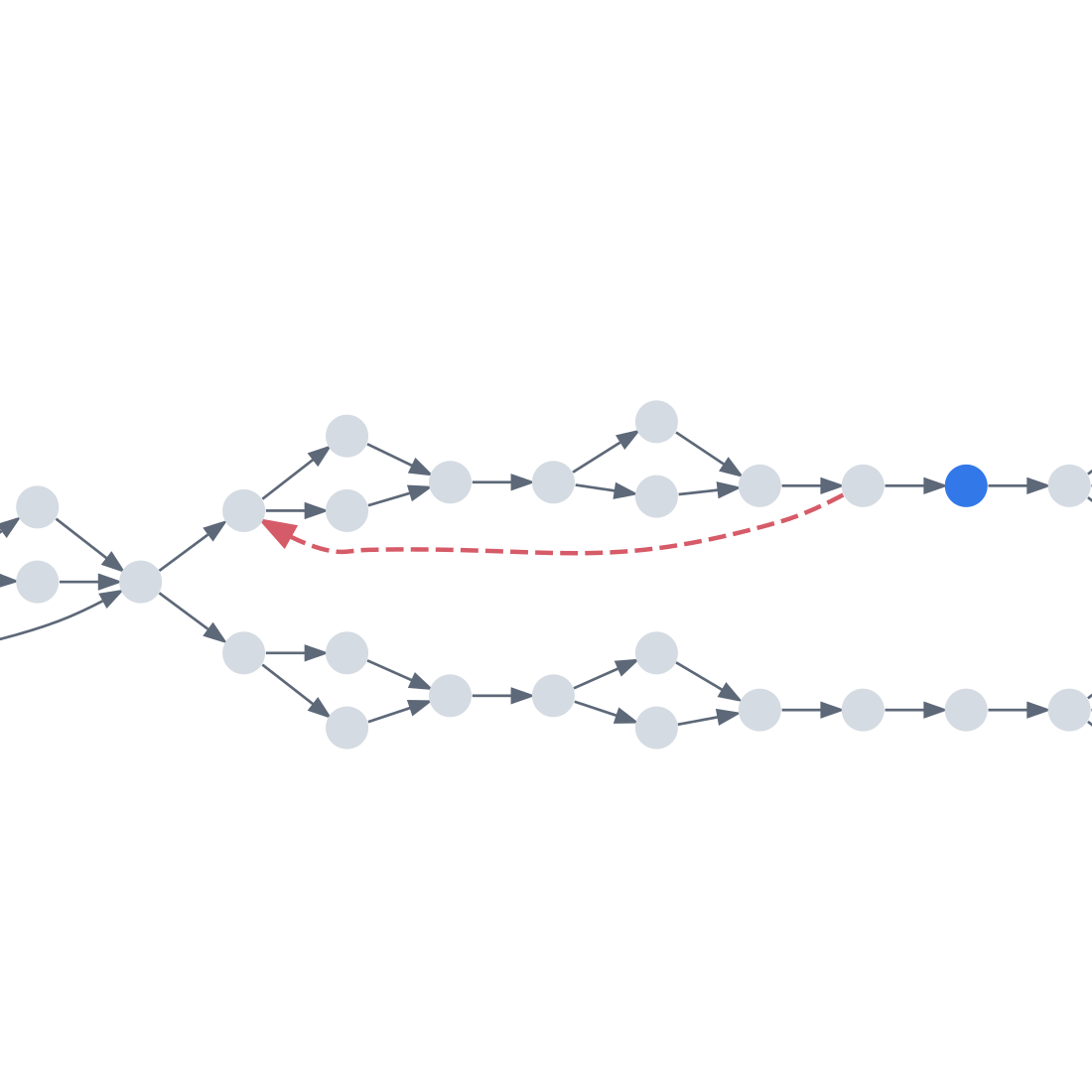
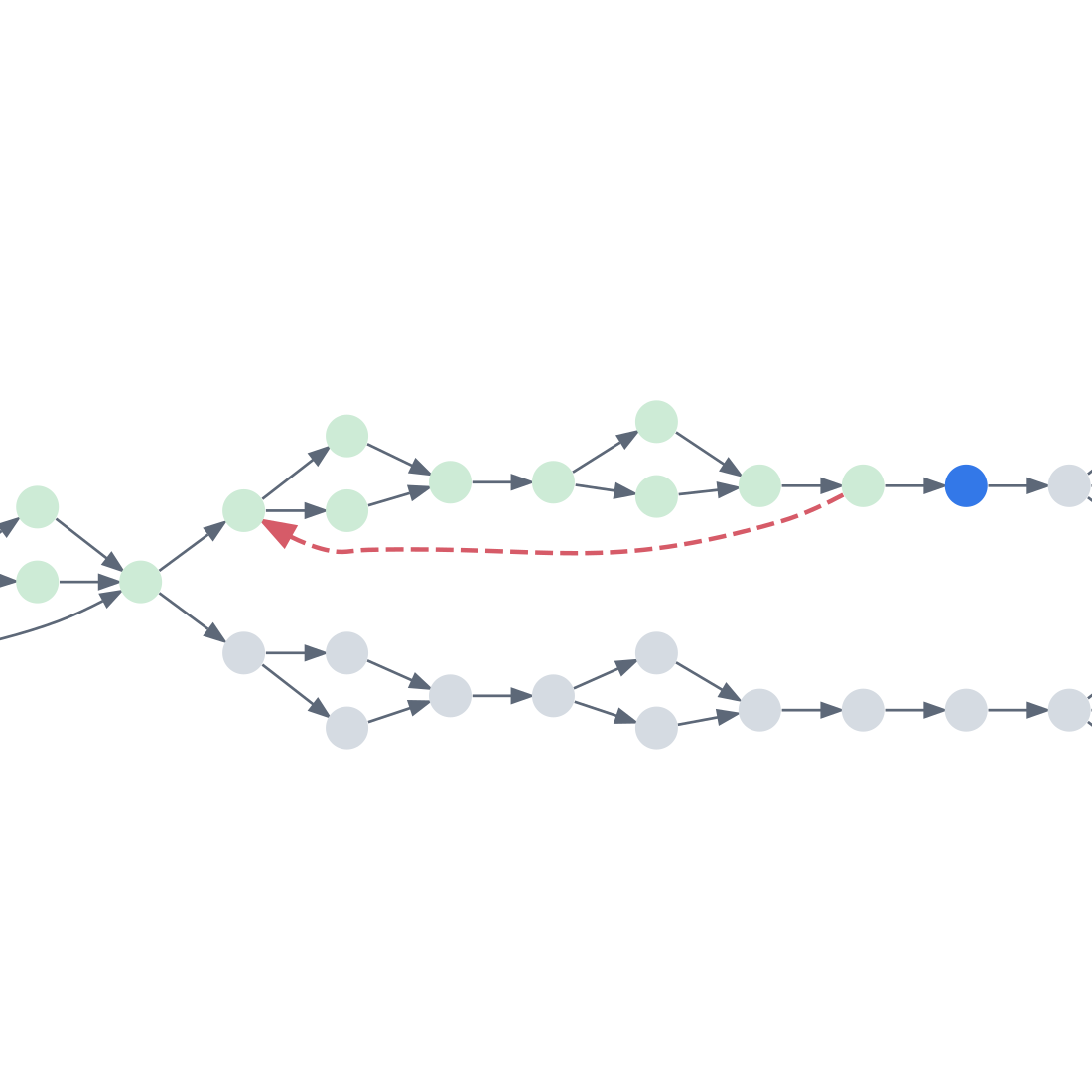
  1. A blue target node in an otherwise unchecked grey dependency graph.
    01

    Choose a target

    Request a calibration or benchmark. The selected experiment is highlighted in blue; everything else begins in its previous state.

  2. Light-green earlier calibrations lead through the upper branch to the blue target; the lower branch remains unchecked.
    02

    Discover dependencies

    Follow the prerequisite arrows backward. The required upstream experiments are already calibrated from an earlier run, shown in light green. Their earlier success does not guarantee that they are still valid now.

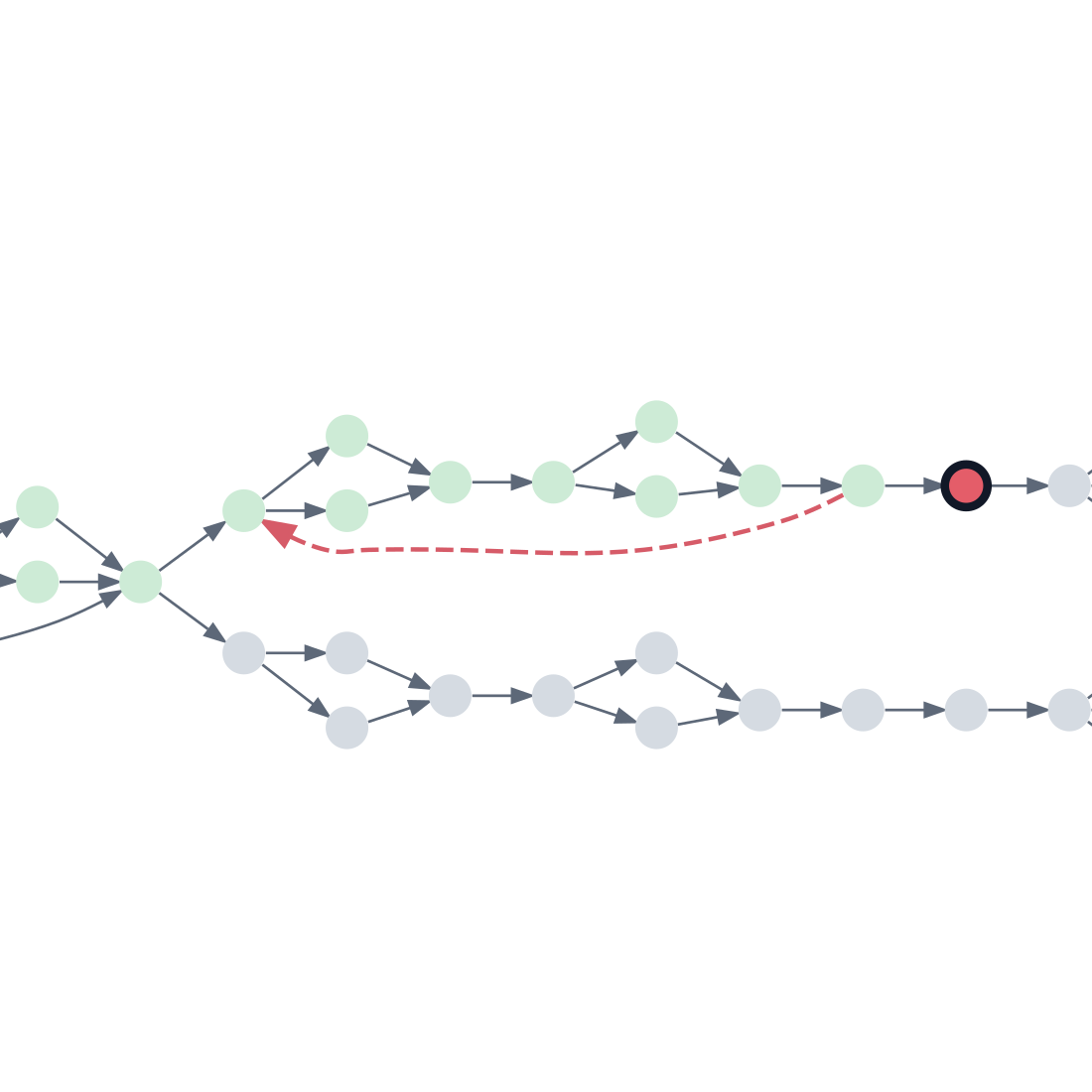
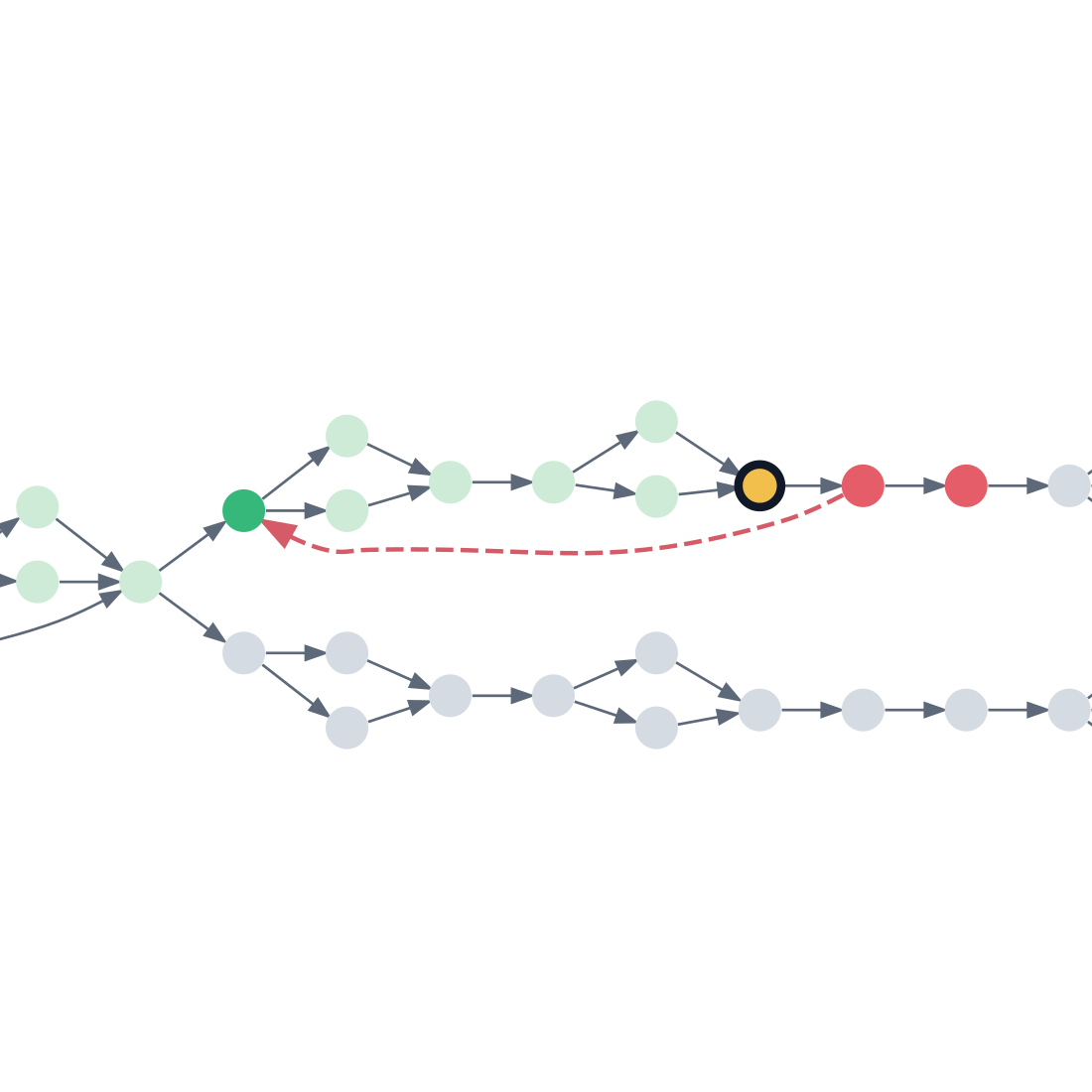
  3. The target is red with a black outline after failing validation.
    03

    Run the target

    Try the requested experiment using the existing calibration parameters. It fails validation, so Pelagic begins diagnosing its dependencies.

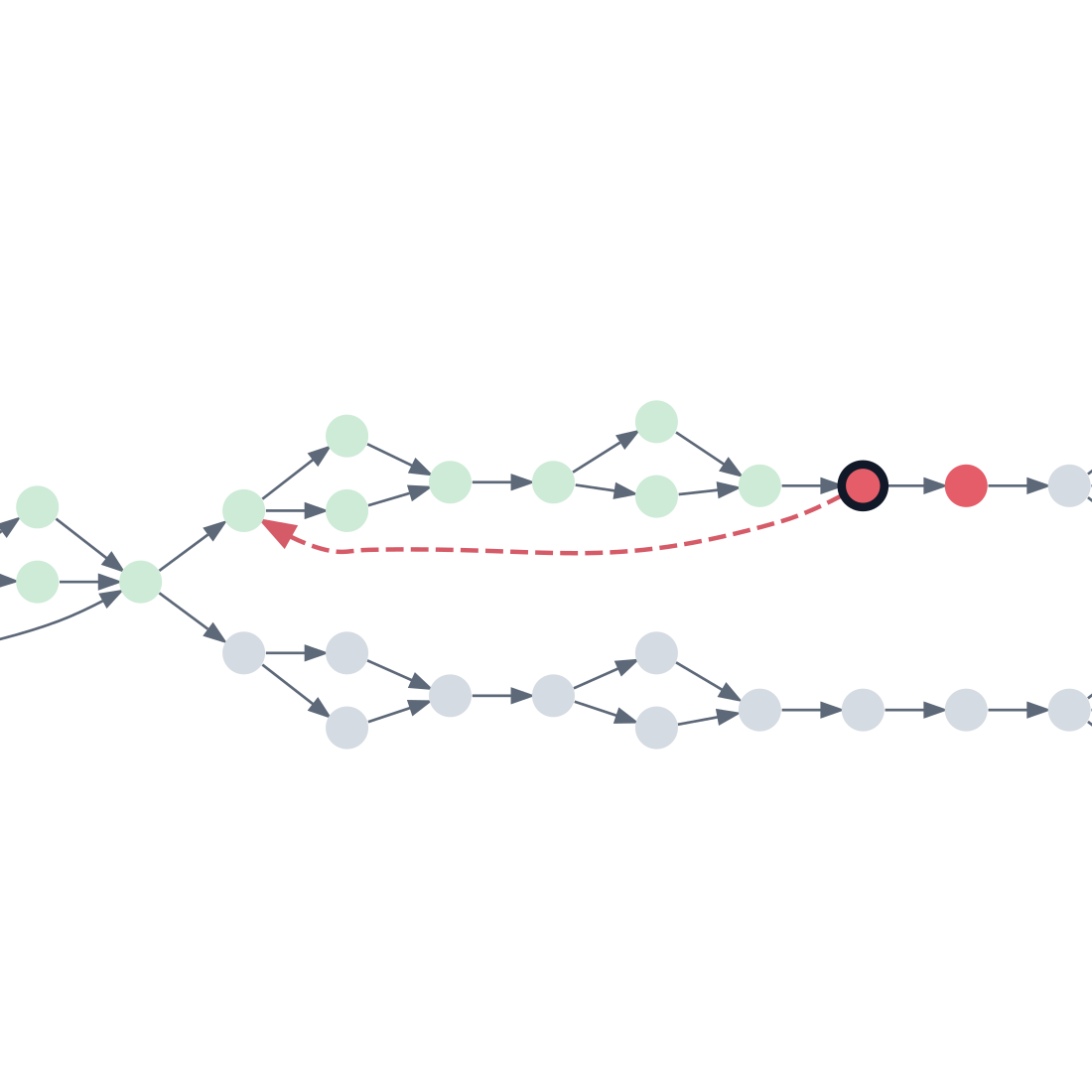
  4. The immediate prerequisite is outlined in black and red, with the downstream target also red.
    04

    Check the previous experiment

    Recheck the immediate upstream calibration. It also fails, suggesting the issue may have originated earlier in the dependency chain.

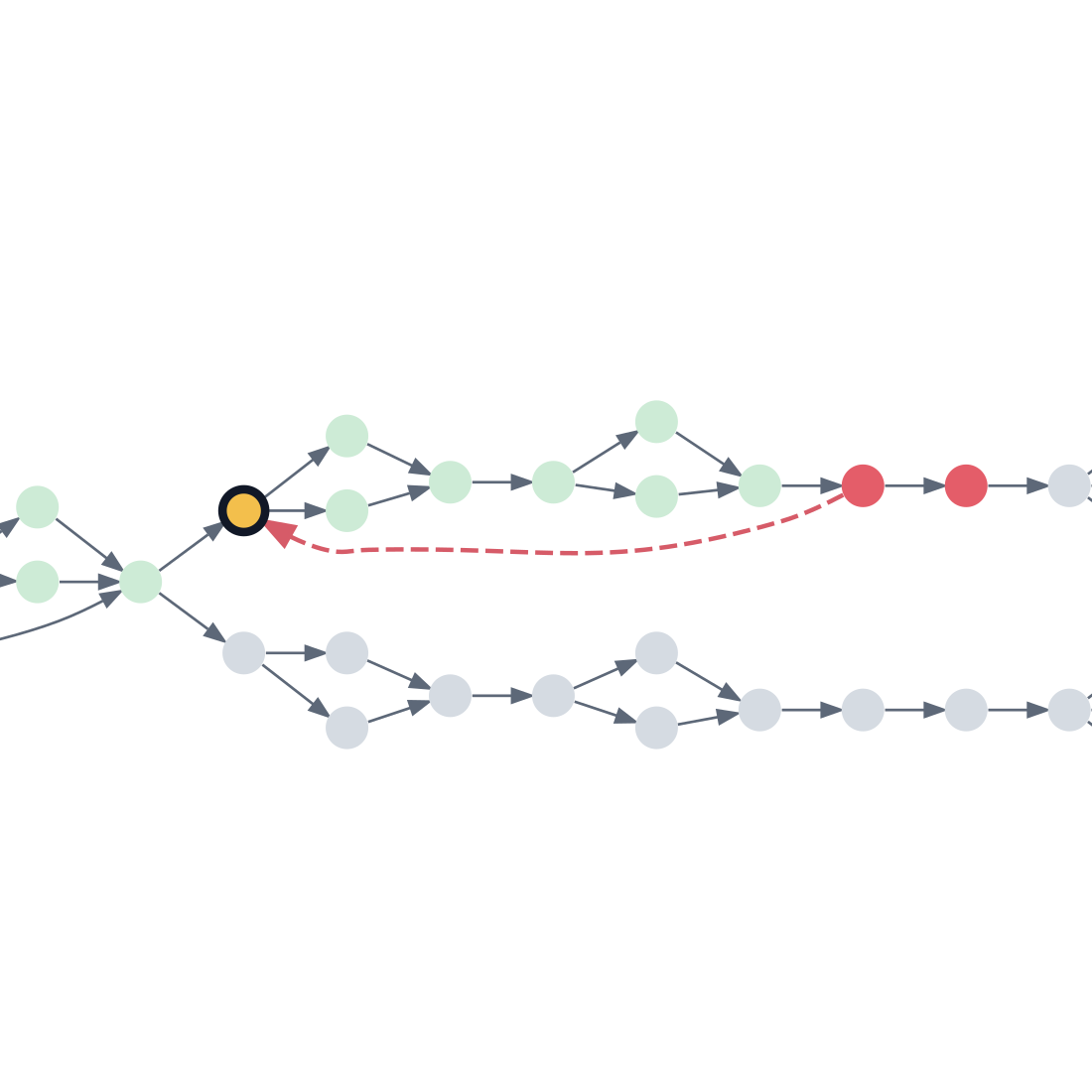
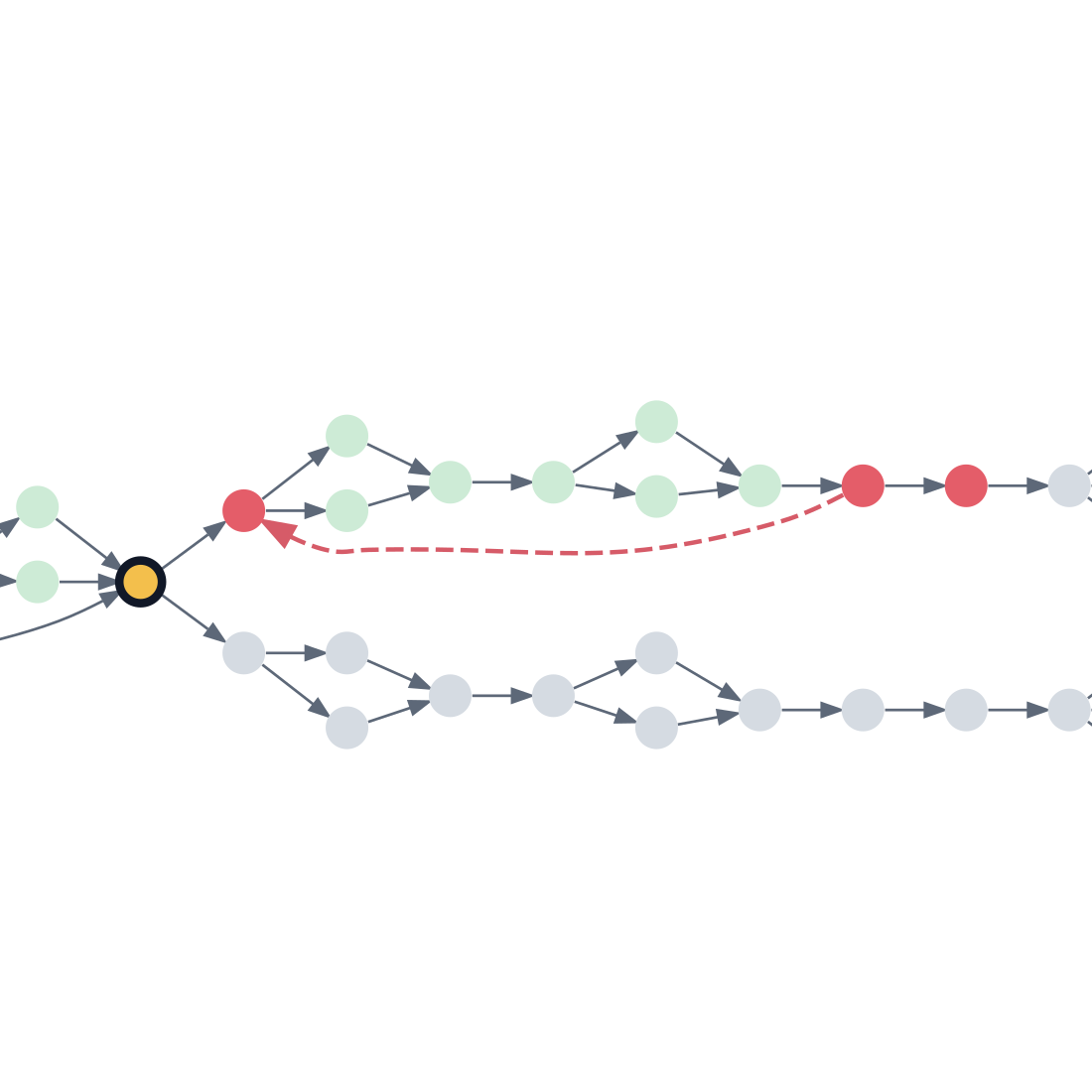
  5. A dashed red recovery arrow jumps back to a yellow diagnostic checkpoint with a black outline.
    05

    Jump back to an earlier check

    Follow the curved red recovery path to an earlier calibration and run a diagnostic check. This tests a more distant prerequisite without rerunning every intermediate experiment first.

  • Not checked
  • Earlier calibration
  • Running
  • Failed
  • Target
  • Validated
06A / Earlier check passes

If the earlier check passes…

The jumped-to calibration is valid. Return to the last failed region and test the next intermediate prerequisite to narrow down where the failure begins. The next experiment is highlighted yellow.

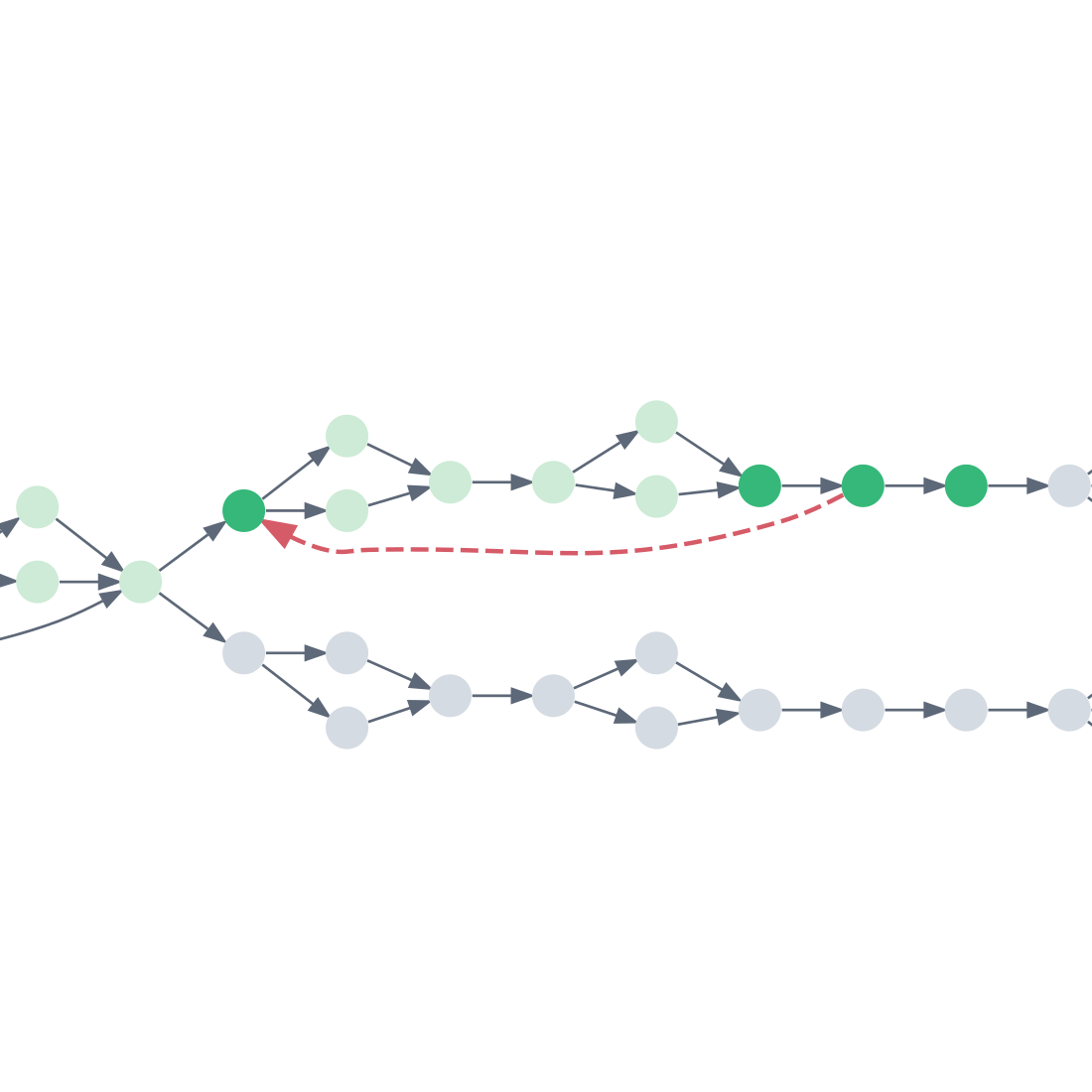
The diagnostic checkpoint is validated green; a yellow intermediate prerequisite is checked nearer the failed target.
07A

Recover the affected branch

Once the earlier check passes, work forward through the remaining failed prerequisites. Each experiment is rerun and validated in order until the requested target succeeds.

Recovery from a passing diagnostic check validates the intermediate experiments and target, while earlier calibrations remain light green.
Diagnostic check passes. Validate the intermediate experiments, then retry the target.
06B / Earlier check fails

If the earlier check fails…

The problem lies at or upstream of the diagnostic checkpoint. Move further backward and run the next upstream experiment, shown in yellow.

The diagnostic checkpoint has failed red; the preceding shared prerequisite is yellow and running.
07B

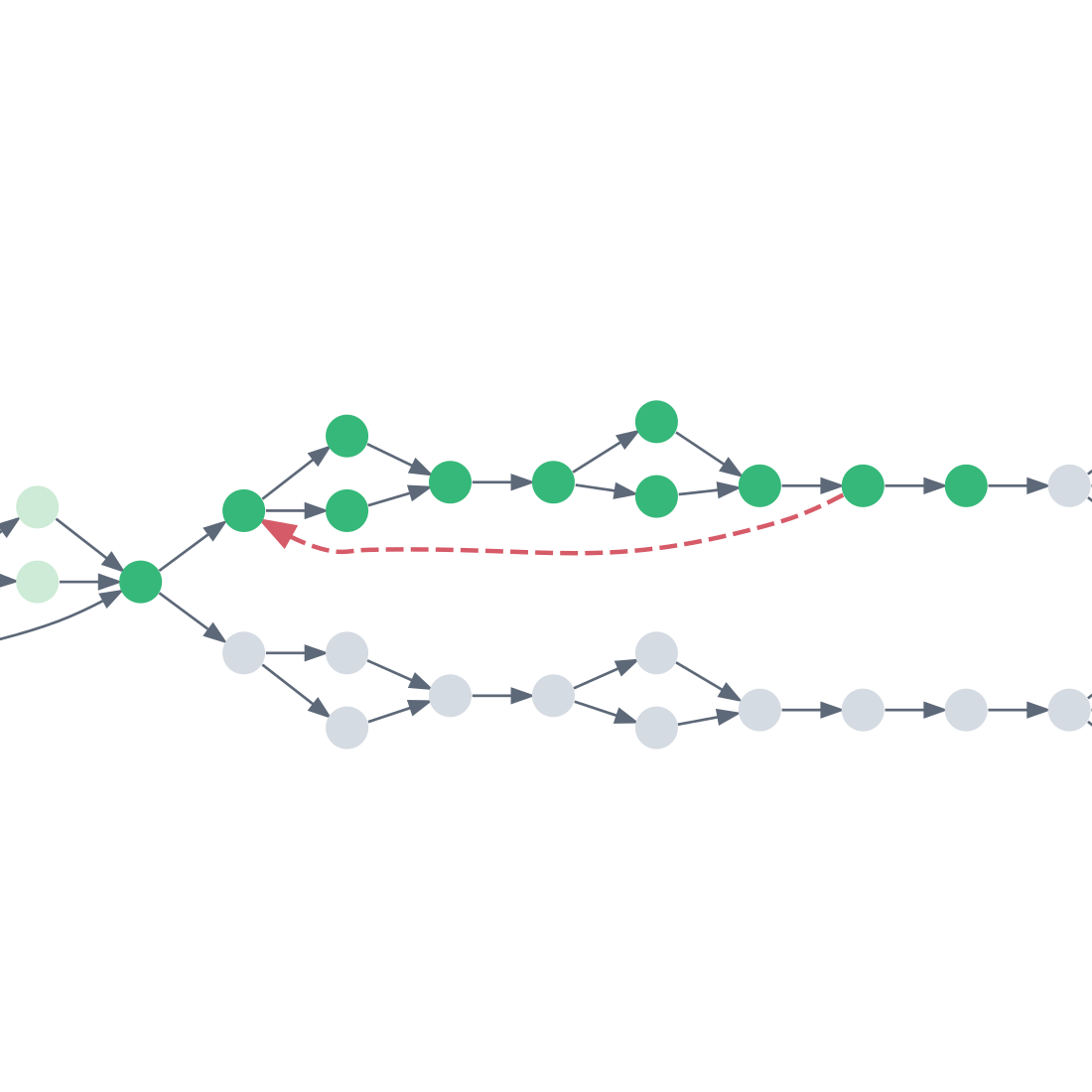
Recover from the source

If the earlier check also fails, begin further upstream. Rerun every required experiment along the dependency path, including intermediate branches, until the target can be validated successfully.

Recovery from an upstream failure validates the full required upper dependency chain, including both intermediate branches, through to the target.
Diagnostic check fails. Move further upstream and rerun the dependency chain to reach the target.

The dependency relationships come from the graph. Validation failures, diagnostic outcomes, and recovery paths shown here are illustrative, with simulated calibration states. They are not a hardware execution trace or a verified runtime transition policy. A passing diagnostic check narrows the search; it does not by itself locate the fault.

PELAGIC EXPERIMENT FRAMEWORK

What will you measure next?

Build on the experiment framework for the measurements and workflows your research needs.